 By Vivek Chaurasia
In today’s fast-moving world, customers expect quick and clear answers from businesses. Whether it’s an order update, pricing question, service request, or complaint, timing matters.
When customers don’t get a timely response, they rarely wait—they lose interest and move to a competitor. What could have been a sale or a loyal customer is lost in seconds.
Honestly, this expectation isn’t unreasonable. As customers ourselves, we all prefer fast communication and smooth support from the businesses we interact with.
The challenge begins on the business side. Keeping a team available 24/7 isn’t always practical.So the real question becomes: how can a business respond quickly to customers without being online all the time?
This is where automation comes into play — and more specifically, WhatsApp automation. With most customer conversations now happening on WhatsApp, automating common interactions can be a game changer for businesses.
From handling routine questions to sending updates and confirmations, WhatsApp automation helps businesses stay responsive, organized, and efficient.
In this article, we’ll walk through what WhatsApp automation actually is, how it works in real-world business scenarios, and how you can start using it effectively in your own business.
What is whatsapp automation (in simple terms)
WhatsApp automation simply means using predefined rules and workflows which can be done using the automation tools and softwares to handle common customer conversations on WhatsApp without replying to every message manually.
Instead of a person typing the same answers again and again, the system responds automatically based on what the customer does or asks. This could be as simple as sending a welcome message to a new contact or as structured as guiding a customer through booking, support, or order-related updates.
As messaging has become the preferred way customers interact with businesses, many companies have observed higher engagement and quicker responses on WhatsApp compared to traditional channels like email or phone calls. Customers are more likely to read and respond to messages on WhatsApp.
This is the reason why businesses increasingly use whatsapp automation for updates, confirmations, and support. Automation helps manage this volume by handling routine conversations instantly, while still allowing humans to step in when needed.
What businesses need to understand about whatsapp automation
In practical terms, WhatsApp automation makes businesses manage repetitive tasks like answering frequently asked questions, collecting customer details, sending confirmations, or sharing updates.
When a customer sends a message, the automation follows a planned flow — asking the right questions, sharing relevant information, or passing the conversation to a human when needed. The goal isn’t to replace human interaction, but to reduce unnecessary manual work so teams can focus on conversations that actually need personal attention.
It’s also important to understand what WhatsApp automation is not. It’s not a system that blindly sends messages to users, and it’s not meant to feel robotic or spammy. When done correctly, automation works quietly in the background, helping businesses respond faster, stay organized, and provide a smoother experience for customers — even outside regular working hours.
small examples of whatsapp automations
WhatsApp automation can handle many day-to-day business interactions that usually require manual follow-ups. These are the kind of tasks that don’t need human thinking every time, but still need to be done quickly and accurately.
Common customer interactions
- Answer FAQs instantly
- Share order or service updates
- Send appointment confirmations
- Collect feedback or survey responses
- Inform customers about offers
Sales, support & operations automation
- Send abandoned cart reminders
- Create and assign support requests
- Capture customer details to CRM
- Route chats to the right team
- Verify customer information
- Collect payments via WhatsApp
- Enable bus ticket bookings
- Process insurance claim requests
Benefits of WhatsApp automation for businesses
Businesses using WhatsApp see response rates that are nearly 5 times higher than email. The reason is simple — most customers are already on WhatsApp and prefer it as their go-to channel for customer service. They send a message and expect a quick reply, not hours of waiting.
But here’s the problem: You can’t be online 24/7, and delayed responses hurt your customer service more than you think. A customer who waits too long will simply move on to a competitor who responds faster.
Here are the benefits of WhatsApp automation that make it more than just a communication tool for businesses:
- Faster response time to customer messages: When customers reach out on WhatsApp, they expect a reply almost immediately. Automation ensures common questions and requests are answered the moment they arrive, without waiting for someone to be available.
This quick response builds trust and keeps customers engaged while their interest is still high, especially during enquiries related to pricing, availability, or order updates. - 24/7 message handling without human presence: Customers don’t always message during business hours. WhatsApp automation allows businesses to stay responsive even at night, on weekends, or during holidays.
Instead of silence, customers receive clear replies, updates, or next steps, which prevents frustration and keeps the conversation moving forward. - Reduced manual workload for sales and support teams: A large portion of daily WhatsApp conversations are repetitive. Automation takes over these routine interactions, reducing the need for teams to reply to the same questions again and again.
This frees up sales and support staff to focus on conversations that actually require human judgment, problem-solving, or relationship building. - Better lead capture and qualification: WhatsApp automation can ask structured questions to understand a lead’s requirements before involving a sales team. This ensures only relevant and qualified leads move forward.
As a result, sales teams spend less time filtering enquiries and more time engaging with prospects who are genuinely interested. - Fewer missed messages and follow-ups: Manual handling often leads to missed messages, especially during busy hours. Automation ensures every incoming message is acknowledged and tracked properly.
Follow-ups can also be triggered automatically, reducing the chances of losing opportunities due to delayed or forgotten responses. - Fewer missed messages and follow-ups: Manual handling often leads to missed messages, especially during busy hours. Automation ensures every incoming message is acknowledged and tracked properly.
Follow-ups can also be triggered automatically, reducing the chances of losing opportunities due to delayed or forgotten responses. - Improved customer experience and satisfaction: Customers value clarity, speed, and reliability. WhatsApp automation delivers these by providing timely updates and clear communication at every stage.
When customers feel informed and supported without repeated follow-ups, their overall experience with the business improves significantly. - Ability to handle higher message volume: As a business grows, message volume increases. Automation helps manage this growth without immediately increasing team size or operational costs.
Even during peak periods, customers continue to receive prompt replies, preventing backlogs and communication breakdowns. - Clear conversation tracking and visibility: Automation workflows often include tagging, status updates, or structured data capture. This gives businesses better visibility into ongoing conversations.
Teams can easily track where each customer stands, whether it’s a new lead, a pending payment, or a support request. - Boost user engagement by 5×: Messaging platforms like WhatsApp consistently see significantly higher open and response rates compared to traditional channels such as email or SMS. By automating WhatsApp conversations, businesses can tap into this behavior and drive stronger engagement while guiding users toward meaningful actions.
When messages reach customers on a platform they actively use every day, responses feel natural and immediate. This leads to better interaction quality and more engaged leads, not just higher message volume.
why whatsapp automation matters for small and medium business today
Small and medium businesses are no longer competing only on price or product — they are competing on responsiveness. Customers often message multiple businesses at the same time, and the one that replies first usually gets the conversation, the attention, and eventually the sale.
WhatsApp has become the default communication layer between businesses and customers. Enquiries, follow-ups, service requests, and even payments now happen inside a chat window. When everything flows through one channel, delays and disorganization quickly become visible to the customer.
Unlike large enterprises, small and medium businesses cannot afford separate teams for sales, support, and follow-ups. WhatsApp automation helps bridge this gap by creating a structure where manual processes fall apart. It ensures every enquiry is acknowledged, every request is routed correctly, and every conversation moves forward without relying on constant human availability.
In today’s environment, automation is less about efficiency and more about survival. Businesses that fail to respond quickly risk being ignored, while those that use WhatsApp automation position themselves as reliable, professional, and easy to work with — even with limited resources.
why customers prefer whatsapp over email and calls
WhatsApp fits naturally into how people communicate today. Unlike emails, messages on WhatsApp are opened quickly and don’t get buried under long threads or unread inboxes. Customers can ask a question and continue the conversation without switching platforms.
Calls, on the other hand, require time and immediate attention. Many customers prefer not to wait on hold or explain the same issue repeatedly. WhatsApp allows them to send a message at their convenience and respond when they are ready.
Another reason WhatsApp stands out is clarity. Messages, images, documents, and updates stay in one place, making it easier for customers to track conversations and refer back to information without starting over.
The operational problems businesses face without automations.
As customer messages increase, businesses often rely on ad-hoc handling — replying whenever someone is free, forwarding chats internally, or scrolling through conversations to find context. This approach may work initially, but it quickly breaks down as volume grows and multiple people get involved.
- Conversations move between team members without clear responsibility
- Customer details stay buried inside chat histories
- Follow-ups rely on manual reminders or memory
- Urgent issues get mixed with routine enquiries
- Business owners struggle to track what’s actually happening
Types of whatsapp automations
WhatsApp automation can be applied in multiple ways depending on how customers interact with your business and what kind of tasks you want to automate. Most businesses don’t rely on just one type — they combine different automation types to build smooth, reliable communication workflows.
Below are the most common and practical types of WhatsApp automation used by businesses today.
- Auto-reply automation (welcome, away messages): Auto-reply automation is the most basic form of WhatsApp automation. It ensures customers receive an immediate response when they message your business, even if no one is available to reply manually.
Examples:
1. Welcome message when a customer messages for the first time
2. Away message outside business hours
3. Holiday or closed-day notification
4. Confirmation that the message has been received
5. Information about expected response time - Conversation-based automation: Conversation-based automation reacts to how users interact inside the chat. It guides customers through predefined paths based on their inputs, making conversations faster and more structured.
Examples:
1. Replying differently based on customer-selected options
2. Keyword-based replies like “pricing”, “support”, or “order status”
3. Guided enquiry flows using buttons
4. Routing users to sales or support based on responses
5. Sharing relevant information based on user intent - Rule-based workflow automation: Rule-based automation follows predefined logic and conditions. Each step depends on what the user does or what data is collected during the conversation.
Examples:
1. Asking follow-up questions only if certain answers are selected
2. Showing different messages based on customer type
3. Moving users to the next step after completing an action
4. Ending a flow if required information is missing
5. Triggering internal alerts based on conversation outcomes - Time-based automation (reminders, follow-ups): Time-based automation sends messages after a specific delay or at scheduled intervals. It ensures follow-ups happen consistently without manual tracking.
Examples:
1. Appointment reminders before scheduled time
2. Follow-up messages after an enquiry
3. Payment reminder after a due date
4. Renewal or subscription reminders
5. Status check messages after a set number of days - Event-triggered automation (order placed, payment received): Event-triggered automation is activated by actions in your business systems. When something happens, a WhatsApp message is sent automatically.
Examples:
1. Order confirmation after purchase
2. Payment success or failure notification
3. Booking confirmation messages
4. Delivery or service status updates
5. Cancellation or refund notifications - Lead qualification automation: Lead qualification automation collects essential details from new enquiries before involving a sales team. This helps filter and prioritize leads efficiently.
Examples:
1. Asking budget or requirement questions
2. Collecting contact and business details
3. Identifying service or product interest
4. Assigning qualified leads to sales teams
5. Saving lead data to a CRM or database - Customer support automation: Customer support automation brings structure to support conversations by capturing issues, routing them correctly, and tracking progress.
Examples:
1. Support request registration via WhatsApp
2. Automatic ticket or reference number generation
3. Assigning issues to the correct support team
4. Status updates on open support requests
5. Escalation alerts for unresolved issues - Broadcast and campaign automation: Broadcast automation allows businesses to send one-to-many messages in a controlled and compliant manner, usually for announcements or campaigns.
Examples:
1. Promotional messages to opted-in customers
2. Product launch announcements
3. Service downtime notifications
4. Re-engagement campaigns for inactive users
5. Event or webinar invitations - Form-based automation (WhatsApp Flows): Form-based automation uses structured forms inside WhatsApp to collect data cleanly, without sending users to external pages.
Examples:
1. Appointment booking forms
2. Lead registration forms
3. Product selection or catalog browsing
4. Feedback and survey forms
5. Subscription or renewal forms - Hybrid automation (automation with human takeover): Hybrid automation combines automation with human involvement. Routine steps are automated, while complex or sensitive conversations are handled by people.
Examples:
1. Automation handles initial enquiry, human closes the deal
2. Bot collects details, support agent resolves the issue
3. Automated reminders followed by manual follow-up
4. AI-assisted replies with human verification
5. Escalation to humans when automation reaches limits
How to implement whatsapp automation in your business
Implementing WhatsApp automation isn’t just about choosing a tool and turning on a few features. It starts with understanding how your customers communicate with you and identifying which conversations can be handled automatically without affecting the customer experience.
The right approach depends on your business size, message volume, and the level of automation you actually need.
Once you’re clear on your requirements, the next step is choosing the right WhatsApp setup. This is where most businesses make decisions that directly impact how flexible, scalable, and effective their automation will be in the long run.
whatsapp automation using whatsapp business app
The WhatsApp Business App is the simplest way for small businesses to start using basic automation on WhatsApp. It is designed for businesses that handle low message volume and want quick, manual-friendly tools without technical setup.
While it doesn’t support advanced workflows, it can still help automate a few repetitive tasks.
- Automated welcome message for new customers
- Away message outside business hours
- Quick replies for frequently asked questions
- Basic greeting and acknowledgment messages
- Sharing business hours and contact details
- Sending predefined responses to common queries
- Labeling chats for basic organization
- Using catalogs to share product or service details
Limitations of the WhatsApp Business App
- No advanced workflow or conditional automation
- Cannot integrate with CRM or external systems
- No multi-user access on the same number
- Limited automation customization options
- No event-based or time-based automation
- Not suitable for high message volume
- Manual handover required for most conversations
whatsapp automation using whatsapp business api
The WhatsApp Business API is designed for businesses that need more than basic auto-replies. It allows you to build structured, scalable WhatsApp automation that can handle higher message volumes, multiple users, and complex workflows. Unlike the WhatsApp Business App, the API is built to integrate with your existing business systems and grow with your operations.
With the Business API, automation is no longer limited to simple greetings. It enables businesses to design full conversation workflows, trigger messages from events, and manage WhatsApp communication as a proper business channel.
Key capabilities of WhatsApp Business API
- Supports multiple users on a single WhatsApp number
- Allows advanced rule-based and event-driven automation
- Enables integration with third-party tools and systems
- Supports message templates, buttons, and interactive flows
- Provides better tracking and visibility into conversations
Limitations and considerations of WhatsApp Business API
- Requires approval from an official WhatsApp API provider
- Involves per-conversation or per-message costs
- Needs initial setup and configuration effort
- Requires ongoing monitoring and optimization
- Not ideal for businesses with very low message volume
Important context for businesses
The WhatsApp Business API is not a plug-and-play tool. Its real value comes from how well the automation workflows are designed around your business processes. When implemented correctly, it becomes a powerful system for handling sales, support, and customer communication at scale.
15+ Use cases and practical real world examples of whatsapp automation
1: Automated welcome message for new and registered contacts
2. Lead qualification flow with predefined questions
Instead of manually asking the same questions, WhatsApp automation can collect lead details in a structured way. This includes requirements, budget range, or service interest.
Qualified leads are routed to sales teams, while irrelevant enquiries are filtered early, saving time and effort.
3. Quotation whatsapp automation
Businesses can automate quotation requests by collecting required details such as product type, quantity, or service scope. Once submitted, the request is logged and forwarded internally and can also be created and sent to the customer in real time.
This avoids back-and-forth messages and ensures quotations are prepared with complete information.
4. Whatsapp Campaigns
WhatsApp automation allows businesses to run targeted campaigns for offers, announcements, or updates. Messages are sent only to opted-in users, keeping communication compliant.
Campaigns can also track responses, helping businesses understand engagement and interest levels.
5. Appointment booking whatsapp automation
Customers can book appointments directly through WhatsApp by selecting available dates and time slots. Automation confirms the booking instantly.
This reduces manual coordination and avoids double bookings or missed confirmations.
6. Appointment reminder before scheduled time
Automated reminders are sent before an appointment to reduce no-shows. These reminders can include date, time, and location details.
Customers can also be given options to reschedule or cancel, keeping schedules updated automatically.
7. Service booking Whatsapp Automation
For service-based businesses, WhatsApp automation can guide customers through service selection and booking. Required details are collected upfront.
A customer can easily book a service with his preferred time and date and automation can also assign a technician.
This ensures service teams receive clear instructions before the job begins.
8. Order confirmation message
Once an order is placed, an automated confirmation message reassures the customer instantly. It includes order details and next steps.
This reduces uncertainty and minimizes follow-up enquiries.
9. Order status update notifications
Customers often ask for updates on their orders. Automation sends status updates at key stages without manual intervention.
This keeps customers informed and reduces repetitive status-related messages.
10. Ecommerce product return whatsapp automation
Customers can initiate product returns through WhatsApp by selecting reasons and uploading details. Automation validates the request and shares next steps.
This simplifies the return process and keeps records organized.
11. Pending payment reminder automation on whatsapp
Automated reminders are sent for pending payments after a defined period. These messages are polite and timed to avoid annoyance.
Once payment is completed, reminders stop automatically.
12. Customer support issue collection
WhatsApp automation can register support issues by collecting problem details in a structured format. Each request is logged with a reference number.
This brings order to support conversations and improves resolution tracking.
13. Insurance claim whatsapp automation
Customers can initiate insurance claims instantly from anywhere using Whatsapp by submitting required information and documents via WhatsApp. Automation ensures no mandatory detail is missed.
Claims are forwarded to the relevant team for further processing.
14. Bus ticket booking whatsapp automation
Ticket booking can be automated by collecting travel details such as route, date, and seat preference. Confirmation is shared instantly after booking.
Payment collection can also be automated here
This provides a smooth booking experience without app downloads or calls.
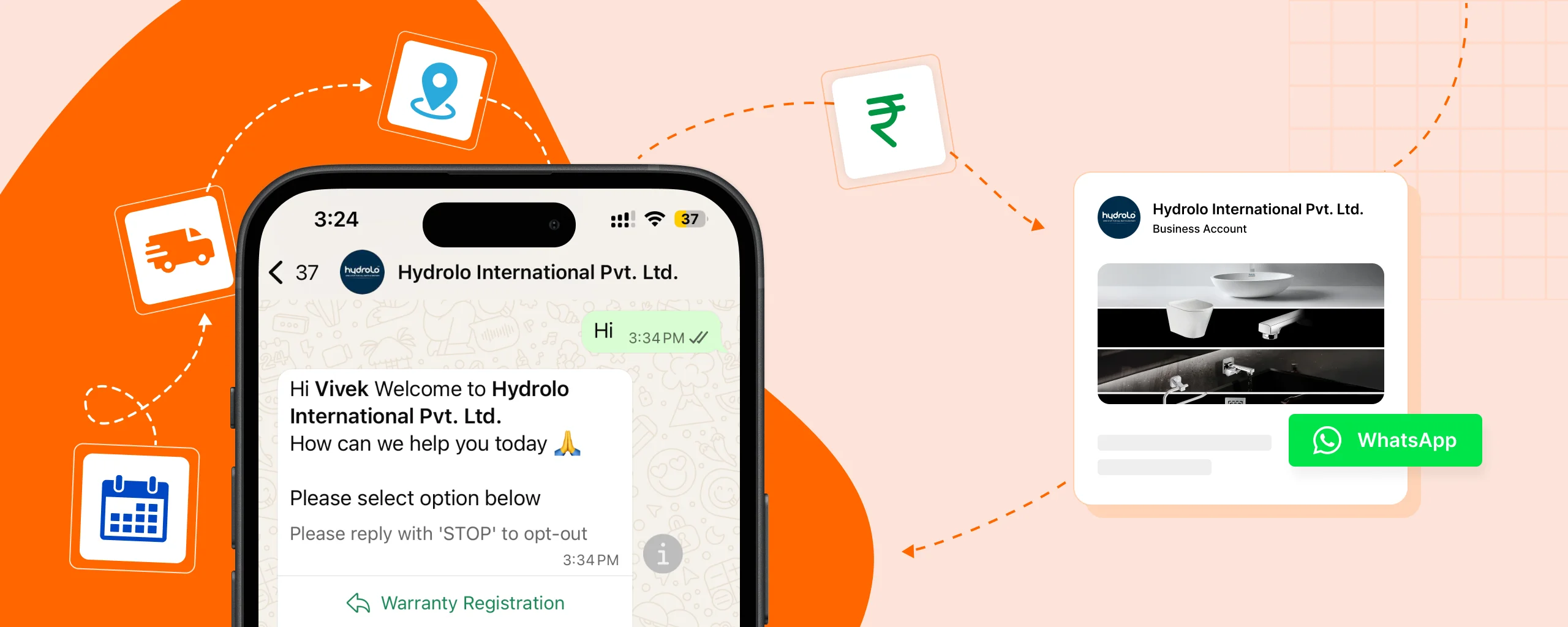
15. Warranty or product registration flow
After purchase, customers can register products by submitting serial numbers or purchase details through WhatsApp. Automation confirms successful registration.
This helps businesses maintain accurate warranty records.
16. Subscription or renewal reminder automation
Automated reminders notify customers before subscriptions or contracts expire. Clear options are provided to renew or contact support.
This helps retain customers and avoid accidental service interruptions
17. Post-service feedback request
After a service or delivery, automation requests feedback through simple rating or response options. Negative feedback can be flagged internally.
This helps businesses improve service quality and customer satisfaction.
18. Internal alert for new leads or support tickets
Whenever a new lead or support request is created, internal WhatsApp alerts notify the relevant team. This ensures faster action.
Critical requests can be escalated automatically based on priority.
Whatsapp Automations tools for free.
Many businesses begin with free WhatsApp automation tools to test workflows and understand what automation can realistically handle. These tools are useful for learning and experimentation, but they come with clear limits that businesses should understand upfront.
Below are the common free or partially free options available today.
WhatsApp Business App (basic automation only)
The WhatsApp Business App is the most basic free option provided directly by WhatsApp. It supports only simple automation features and is intended for very small businesses.
It works best for low message volumes and manual handling, not for structured automation.
Free-tier WhatsApp automation platforms
Some platforms offer limited free plans with restricted automation features and message counts. These are useful for testing basic automation logic.
Common examples:
- Gallabox (limited free access or trials)
- WATI (trial-based access)
- AiSensy (free trial / credits)
These plans are usually not suitable for long-term production use.
Trial versions of WhatsApp Business API providers
Official WhatsApp API providers often offer trial credits so businesses can test advanced automation features before paying.
Common providers offering trials:
- Twilio
- 360dialog
- Gupshup
Trials are usually time-limited or message-limited.
Open-source workflow automation tools
Open-source tools allow businesses to build automation workflows without licensing costs. These tools require technical setup and WhatsApp API integration.
Popular examples:
- n8n
- Node-RED
These are best suited for teams with technical expertise.
No-code automation tools with limited free plans
No-code tools provide visual builders for automation. Free plans are usually restricted in usage and features.
Common examples:
- Zapier
- Make (formerly Integromat)
They are helpful for learning but not ideal for complex WhatsApp workflows.
Benefits of using free WhatsApp automation tools
Free WhatsApp automation tools can be a good starting point for businesses that want to understand how automation works before making any investment. While they are limited, they still offer practical value in the early stages.
- Helps businesses understand WhatsApp automation basics
- Allows testing automation ideas without upfront cost
- Useful for low message volume or early-stage businesses
- Enables experimentation with simple workflows
- Reduces manual replies for basic customer queries
- Helps teams identify which processes are worth automating
- Low-risk way to evaluate automation before scaling
Limitations of free whatsapp automation tools:
While free tools are useful for getting started, they come with practical limitations that often become blockers as a business grows.
- Message volume restrictions
- Limited automation features
- Restricted workflow complexity
- Minimal customization options
- No guaranteed technical support
Final thoughts on WhatsApp automation for businesses
WhatsApp automation is no longer just a convenience — it has become a practical requirement for businesses that want to stay responsive and competitive. As customer conversations increasingly shift to WhatsApp, relying on manual replies alone creates delays, inconsistency, and operational gaps.
The real value of WhatsApp automation doesn’t come from tools or features, but from how well it is designed around your business workflows. When implemented thoughtfully, automation helps businesses respond faster, stay organized, and deliver a better customer experience — without losing the human touch where it matters most.