 By Vivek Chaurasia
Running a business today means juggling dozens of apps — a CRM, a booking system, WhatsApp, email, spreadsheets, maybe a project management tool. And somehow, despite having more software than ever, things still fall through the cracks.
Leads don’t get followed up. Data gets entered twice. The follow-up message that should have gone out on Saturday didn’t because nobody was at their desk.
This isn’t a people problem. It’s a systems problem.
This is where workflow automation tools help. Workflow automation tools fix it by connecting your apps and handling repetitive processes automatically — so your team focuses on work that actually moves the business forward.
In this guide, I compare the 10 best workflow automation tools available in 2026 — including features, pricing, AI capabilities, pros and cons, and exactly which type of business each one is right for.
What Is a Workflow Automation Tool?
A workflow automation tool is a software platform that helps businesses automate repetitive tasks and processes by connecting different applications and triggering actions automatically based on predefined rules.
Imagine your accountant sends you a PDF invoice from a supplier. Normally someone on your team opens it, reads the amount, manually types it into your accounting software, then messages the finance person to approve it, who then has to remember to action it.
With workflow automation, the moment that email arrives, the tool reads the invoice, extracts the amount and supplier details, creates a draft entry in your accounting software, sends an approval request to the right person on WhatsApp or other communication channel, and marks it as pending — all before anyone has even opened the email.
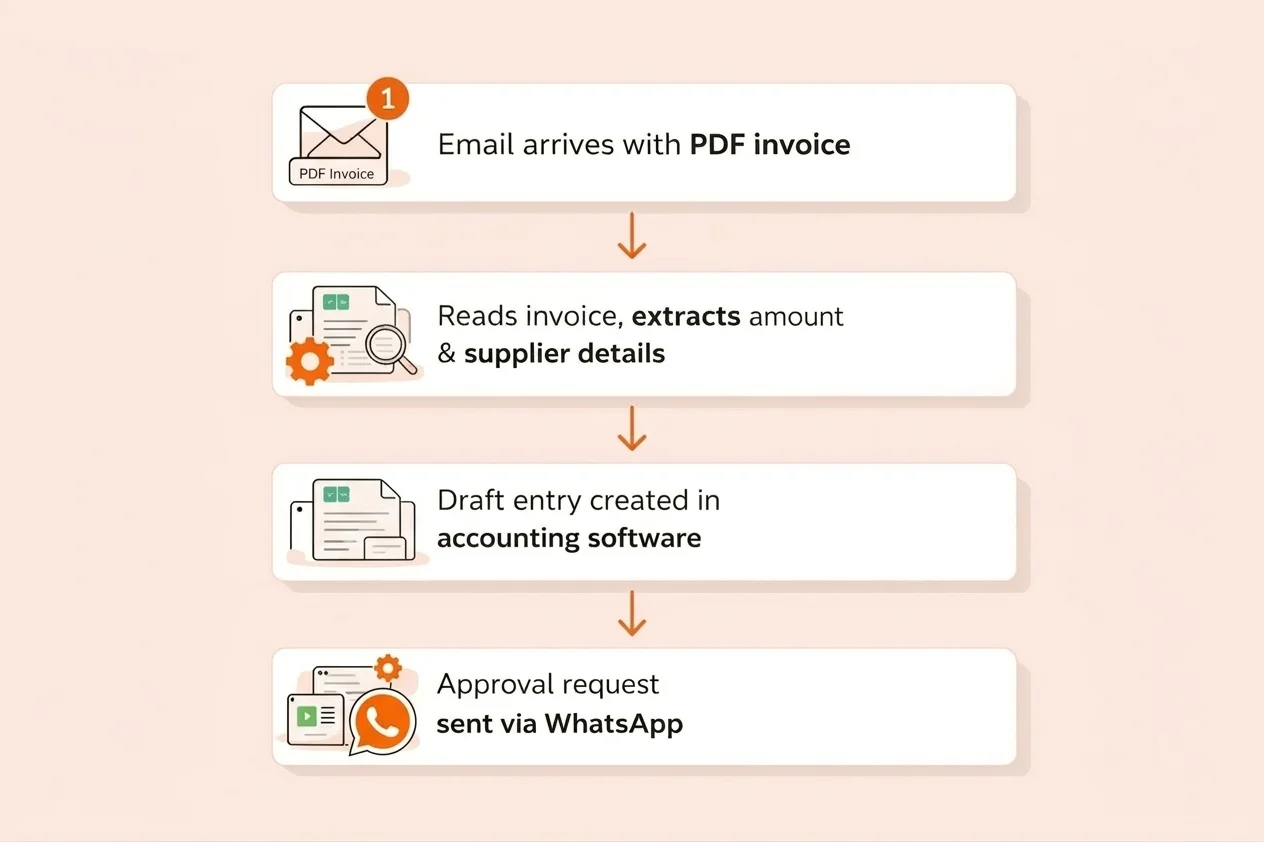
Most tools work through triggers and actions. A trigger is the event that starts the workflow — a new form submission, an incoming WhatsApp message, an incoming mail, a completed payment. The actions are what happen next — update the CRM, send an email, notify your team, create a task.
Modern workflow automation tools go even further with AI-powered automation, which can interpret data, make decisions, and generate follow-up actions — not just move data from A to B.
New to automation? Start here: What Is Workflow Automation? A Practical Guide for Growing Businesses
How AI Is Changing Workflow Automation in 2026
The biggest shift in workflow automation over the past two years is the integration of artificial intelligence. Traditional automation tools follow fixed rules — “if X happens, do Y.” AI-powered automation goes much further.
What AI adds to workflow automation:
- Natural language workflow building — describe what you want in plain English and the tool builds it for you
- Unstructured data handling — AI reads emails, PDFs, and messages and extracts what matters automatically
- Intelligent routing — instead of fixed rules, AI decides where data should go based on context
- Anomaly detection — AI flags when a workflow is behaving unexpectedly before it causes problems
- Predictive automation — the tool anticipates the next required action before it’s triggered
Almost every tool in this guide now includes AI capabilities. I’ve highlighted them clearly in each review below.
Why Workflow Automation Matters for Your Business
Research backs this up clearly. 60% of businesses that implement workflow automation see a return on investment within the first 12 months. Businesses report error reduction rates of 40–75% compared to manual processing. And 90% of executives say automation directly increases their team’s capacity — meaning your people can handle more without you hiring more.
Workflow automation tools solve the most common operational problems businesses face:
- Repetitive manual tasks — Your team spends hours copying data between tools, sending routine messages, and updating spreadsheets. Automation handles all of it instantly.
- Disconnected applications — Most businesses use 10–30 different apps that don’t talk to each other. Automation connects them so data flows automatically between systems.
- Slow response times — Manual processes delay customer follow-ups and order processing. Automated workflows trigger responses in seconds.
- Human errors — Manual data entry has a 1–4% error rate. Automation enforces accurate, consistent data transfers every time.
- Process dependency on specific people — If a process only runs because one person remembers to do it, it will eventually break. Automation makes processes consistent and independent.
Cloud vs Self-Hosted Workflow Automation Tools
Workflow automation tools come in two deployment models — and the difference matters for both your costs and your data control.
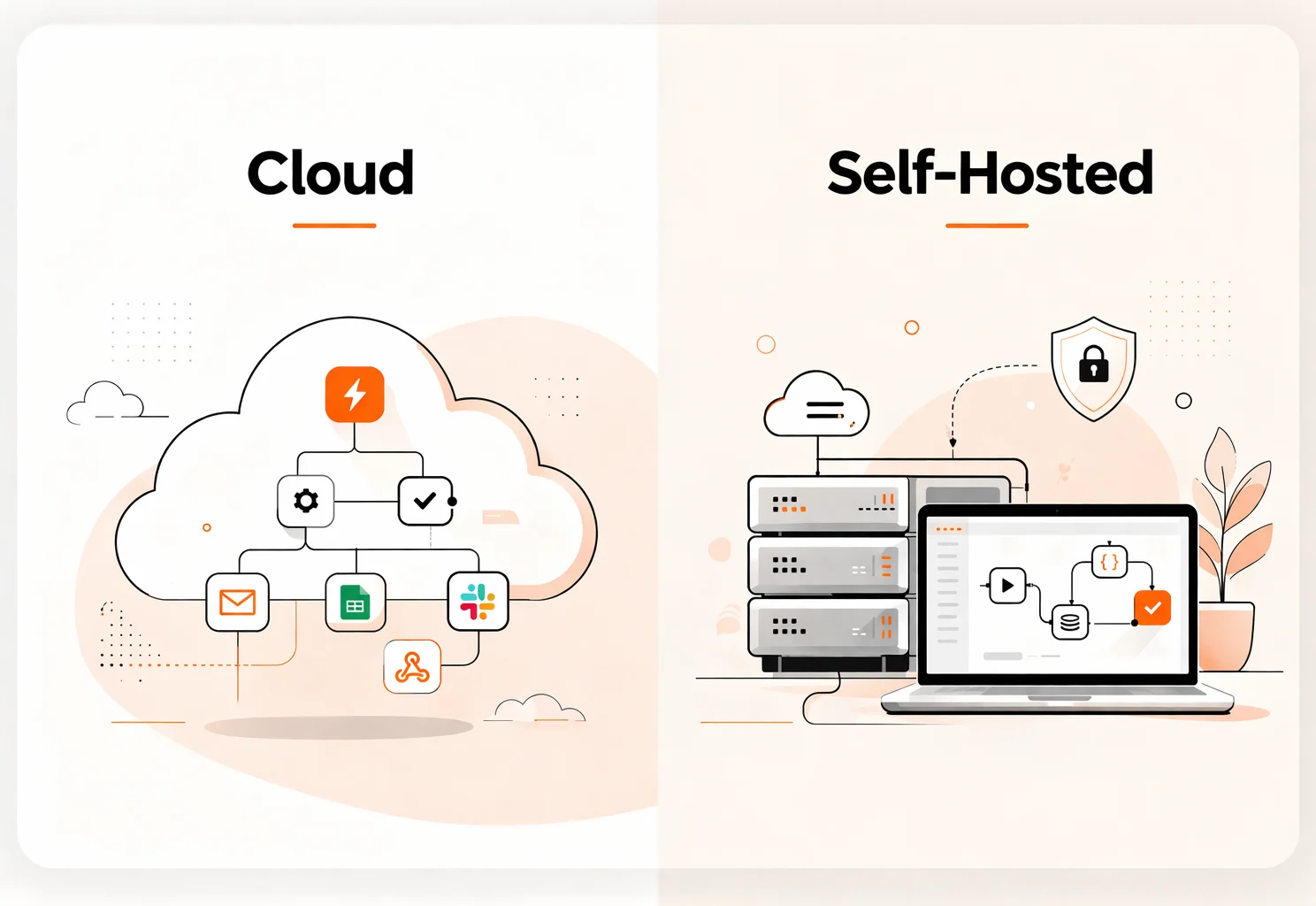
Cloud-based tools (Zapier, Make, Pabbly Connect)
These are hosted by the software company. You sign up and start building immediately. No technical setup required. You pay monthly — typically per task or per workflow — and costs grow as your automation volume increases.
Self-hosted tools (n8n, Activepieces)
Thsese run on a server you control — either your own infrastructure or a basic VPS starting at around $10/month. More setup upfront, but no per-task fees ever. For businesses running high automation volumes, this can save hundreds of dollars per month.
My honest advice: start with a cloud tool to understand what automation can do for your business. Once your workflows are consistent and volume is growing, evaluate self-hosting to cut long-term costs and gain full data control.
Considering self-hosting? Full setup guide: How to Self-Host n8n with Docker and PostgreSQL
7 Essential Features to Look For in a Workflow Automation Tool
1. Ease of Use — Your team shouldn’t need a developer to build or manage workflows. Look for visual workflow builders and drag-and-drop interfaces.
2. Integration Library — Does it connect to the tools your business already uses? Check your actual tech stack against the integration library first.
3. AI Capabilities — In 2026, AI-powered workflow building, intelligent routing, and natural language input are no longer nice-to-haves.
4. Customisation and Flexibility — The tool needs to support conditional logic, branching, custom triggers, and API access — not just pre-built templates.
5. Deployment Options — Cloud is easier to start. Self-hosted is cheaper at scale and gives full control over where your data lives.
6. Pricing Model — Task-based pricing (Zapier) gets expensive fast. Operations-based pricing (Make) is more predictable. Self-hosted tools eliminate per-task fees entirely.
7. Scalability — Choose a tool that handles your current volume and 10x that volume as you grow — without a dramatic jump in costs.
List of 10 Best Workflow Automation Tools in 2026
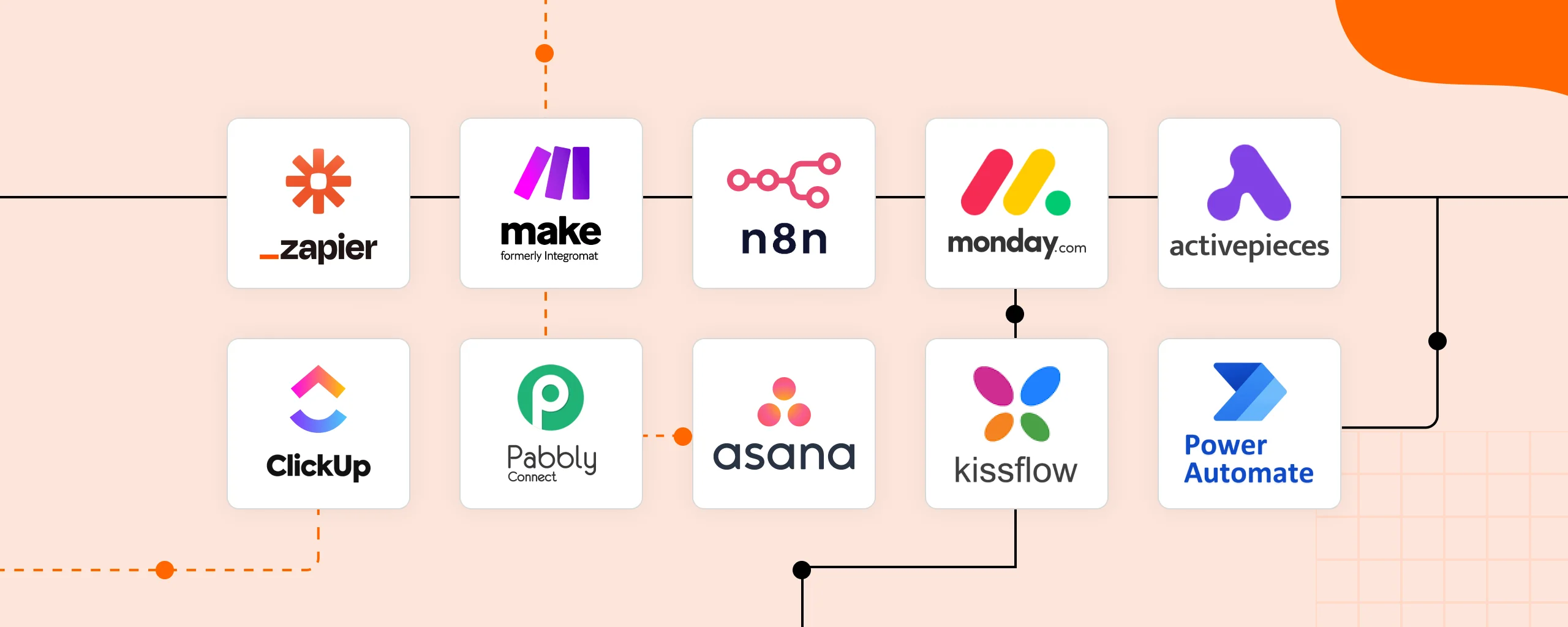
| Tool | Best For | Deployment | Starting Price | Integrations | AI |
| Zapier | No-code automation | Cloud | $19.99/mo | 7,000+ | ✅ |
| Make | Visual workflows | Cloud | $10/mo | 1,800+ | ✅ |
| n8n | Self-hosted automation | Cloud + Self-Hosted | Free / $20+/mo | 400+ | ✅ |
| monday.com | Project + automation | Cloud | $9/seat/mo | 200+ | ✅ |
| ClickUp | All-in-one ops | Cloud | $7/user/mo | 1,000+ | ✅ |
| Pabbly Connect | Budget automation | Cloud | $19/mo | 1,000+ | Limited |
| Asana | Task automation | Cloud | $10.99/user/mo | 200+ | ✅ |
| Power Automate | Microsoft 365 | Cloud | $15/user/mo | 1,000+ | ✅ |
| Kissflow | Internal processes | Cloud | Custom | 50+ | ✅ |
| Activepieces | Open-source | Cloud + Self-Hosted | Free / Paid | 580+ | ✅ |
1. Zapier — Best No-Code Workflow Automation Tool
What is Zapier?
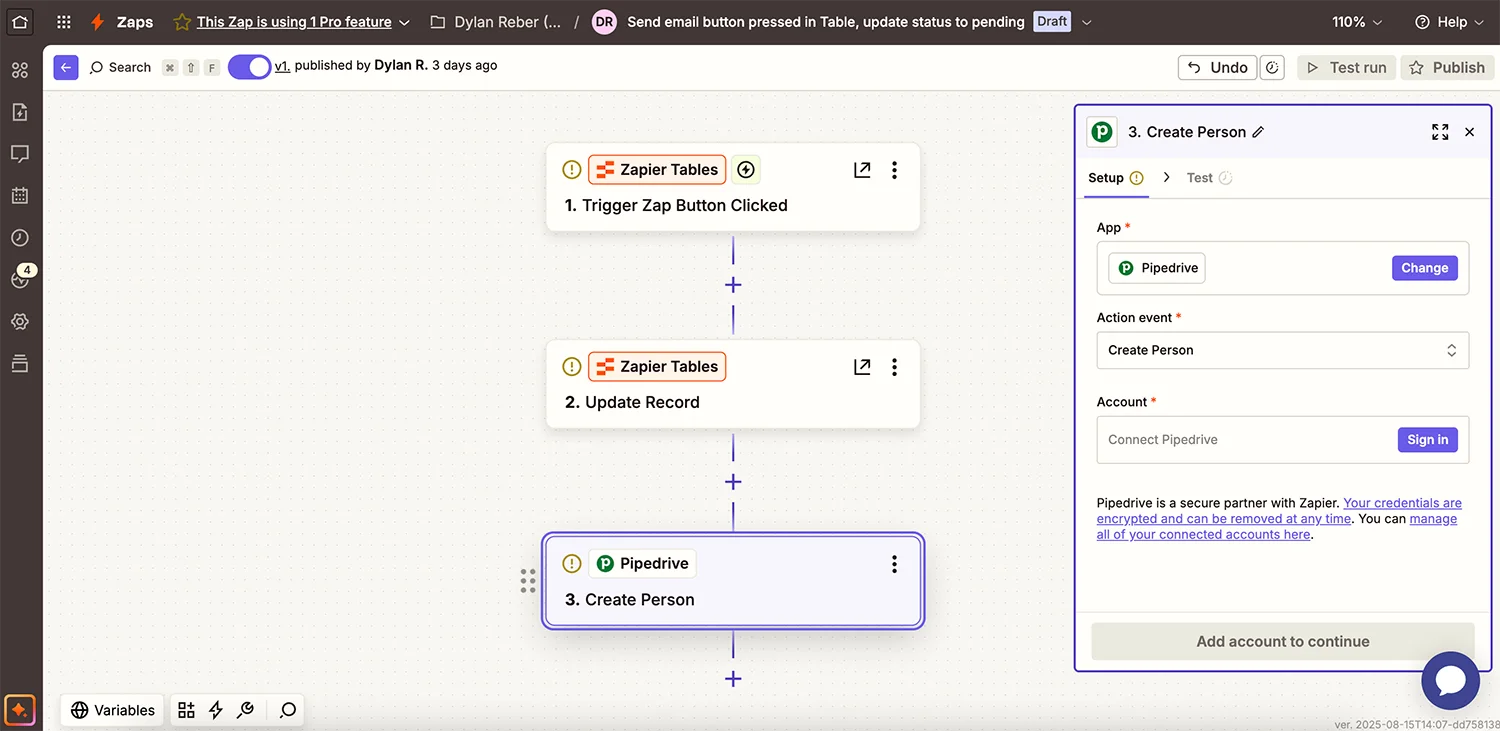
Zapier is the most widely used workflow automation tool in the world. It connects over 7,000 apps through a simple trigger-and-action system called Zaps — when something happens in one app, it automatically does something in another.
Its biggest strength is accessibility. Most workflows take under 15 minutes to build. You don’t need to understand APIs, webhooks, or any technical concepts. If your business uses popular tools — Gmail, HubSpot, Slack, WhatsApp, Typeform, Shopify, Calendly — Zapier connects all of them.
In 2026, Zapier significantly expanded its AI capabilities. You can now describe a workflow in plain English and it builds it for you, with 300+ AI tool integrations including ChatGPT, Claude, and Gemini built directly into the platform.
The honest limitation: Zapier’s pricing model doesn’t scale well for high-volume automation. It charges per task, and costs can reach $100–$200/month once your automations run thousands of tasks daily.
AI capabilities
AI-powered Zap builder, 300+ AI app integrations, Zapier Agents for autonomous multi-step automation.
Key features
- 7,000+ app integrations — the largest library of any tool
- AI-powered workflow builder
- Multi-step Zaps with conditional logic, filters, and branching
- Zapier Tables and Interfaces for lightweight data management
- Pre-built automation templates for common business workflows
- Zapier Agents for autonomous AI-driven tasks
Pros
- Easiest automation tool to get started with — bar none
-
Largest integration ecosystem available
- Very reliable cloud infrastructure
- Constant new feature and integration releases
Cons
- No self-hosted option — data lives on Zapier’s servers
- Task-based pricing becomes expensive at scale
- Limited customisation for complex or unusual workflows
Zapier pricing
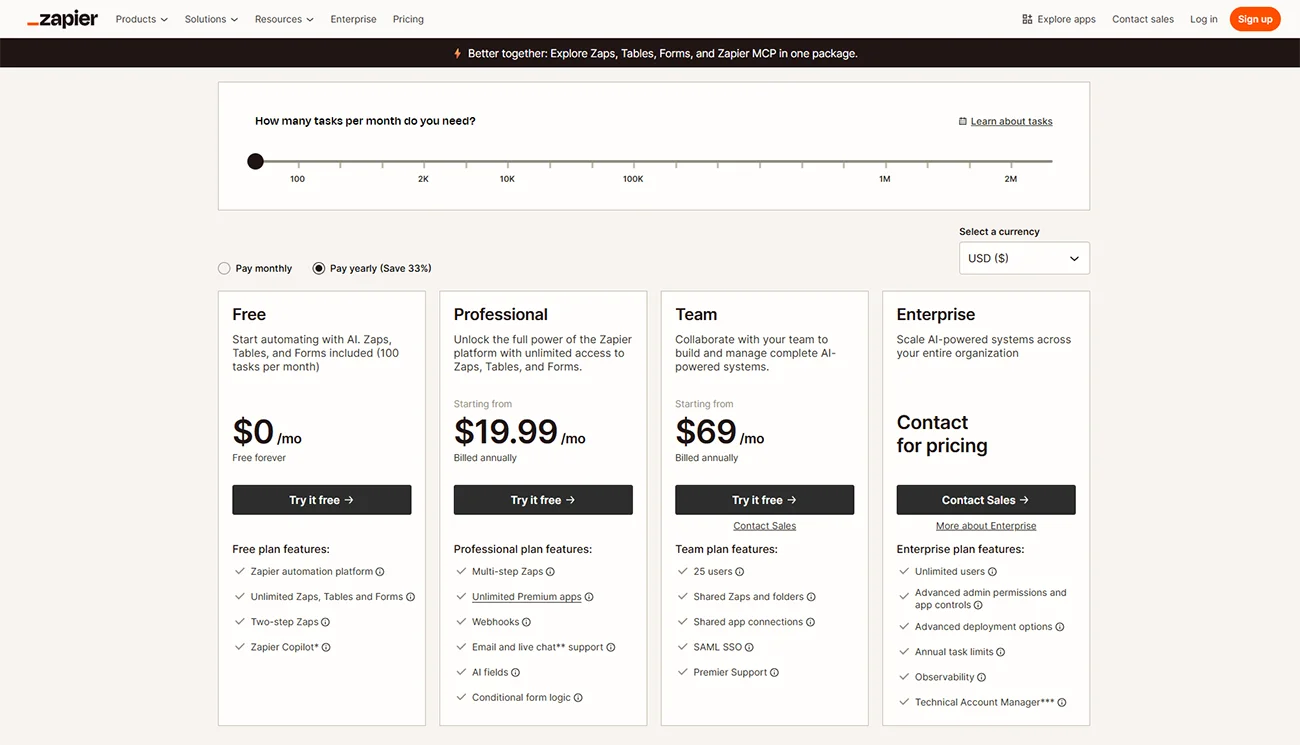
- Free: 100 tasks/month, 5 Zaps
- Starter: $19.99/month (750 tasks)
- Professional: $49/month (2,000 tasks)
- Team: $69/month
- Enterprise: Custom
Deployment options
- Self-Hosted: No
- Cloud Version: Yes
Zapier is best for
Businesses new to automation. Non-technical teams wanting results fast. Operations managers connecting popular SaaS tools without developer support.
Zapier reviews
- G2: 4.5 out of 5 star rating (from +1,827 user reviews)
- Capterra: 4.7 out of 5 star rating (from +3,030 user reviews)
2. Make (formerly Integromat) — Best Visual Workflow Automation Tool
What is Make?
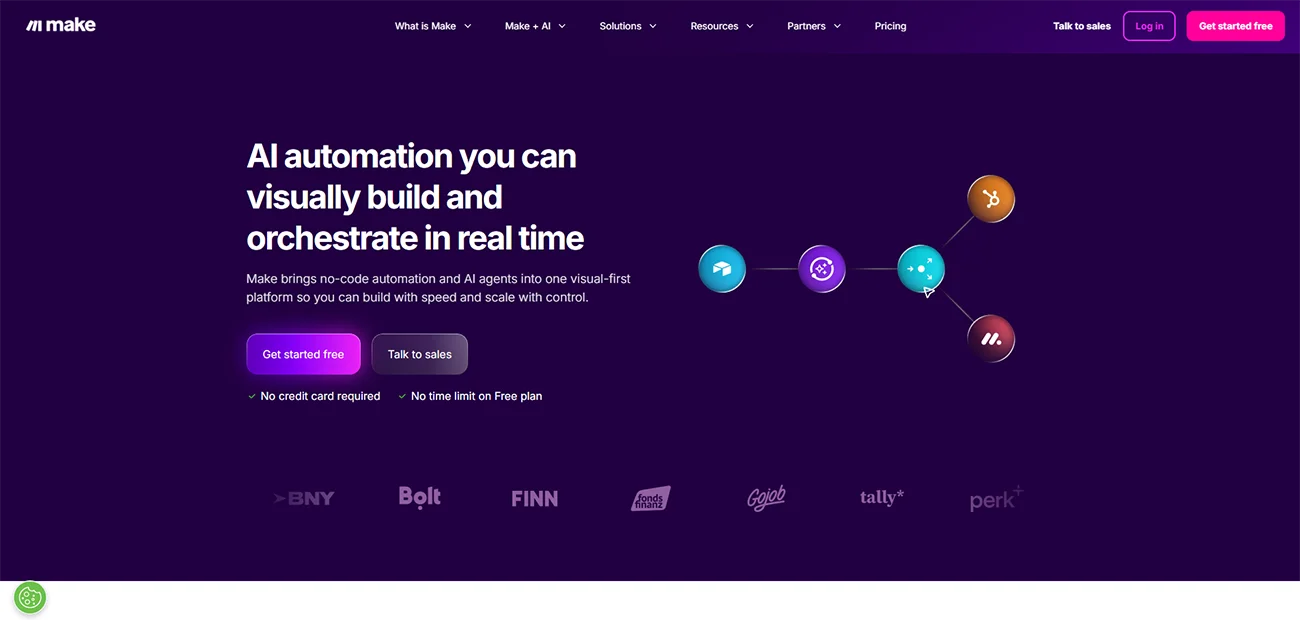
Make is the tool I recommend most often once a business understands what it needs from automation and is ready to build something more powerful.
Where Zapier presents workflows as a simple list, Make gives you a visual canvas — you can see exactly how data flows between your apps in real time. You can branch workflows, transform data between steps, add complex conditional logic, and build automation scenarios that handle real business complexity.
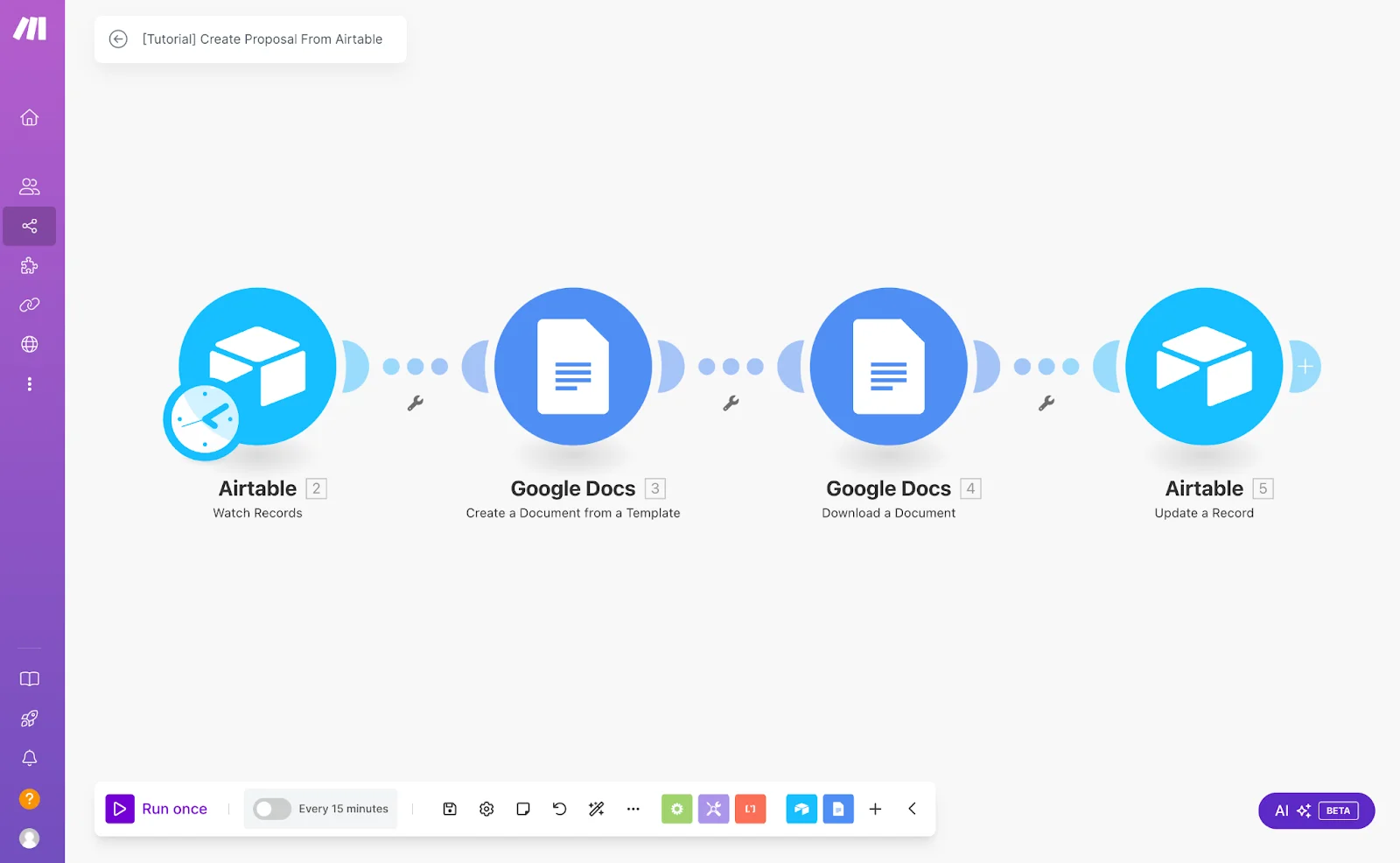
Make connects to 1,800+ apps and prices based on operations rather than individual tasks — making it significantly more cost-predictable and affordable than Zapier for businesses running moderate to high automation volumes.
AI capabilities
OpenAI, Anthropic Claude, and Google AI integrations built in; AI-powered scenario building suggestions.
Key features
- Visual drag-and-drop scenario builder with real-time data flow
- Advanced data transformation and mapping between apps
- Scheduled workflows, webhooks, and instant triggers
- 1,800+ app integrations
- Iterators, aggregators, and routers for complex workflow logic
- Free plan that’s genuinely useful for testing
Pros
- Best visual interface for understanding and debugging complex workflows
- More operations per dollar than Zapier
- Handles data transformations that simpler tools can’t
- Predictable operations-based pricing
Cons
- Steeper learning curve than Zapier
- No self-hosted option
- Interface can feel overwhelming on first login
Make.com pricing
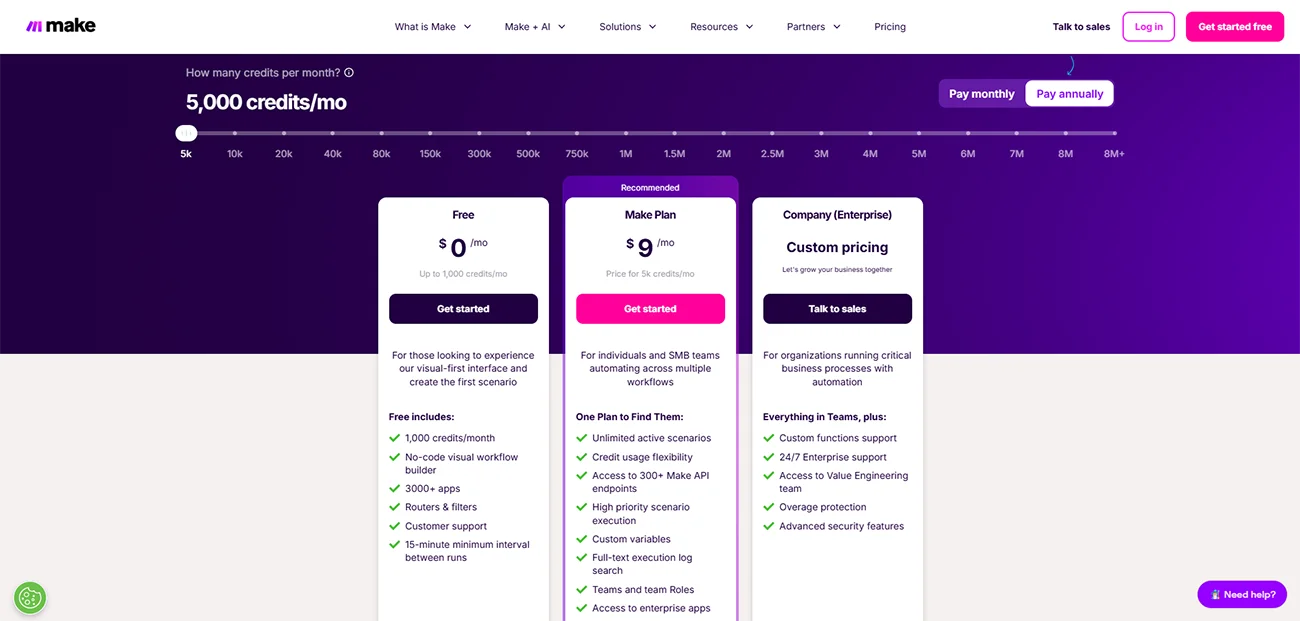
- Free: 1,000 operations/month
- Core: $10.59/month (10,000 operations)
- Pro: $18.82/month (150,000 operations)
- Teams: $34.12/month
- Enterprise: Custom
Deployment options
- Self-Hosted: No
- Cloud Version: Yes
Make.com is best for
Businesses needing multi-step automation with complex logic. Teams that have outgrown Zapier. Anyone who wants full visibility into how their automations work.
Make.com reviews
G2: 4.6 out of 5 star rating (from +200 user reviews)
Capterra: 4.8 out of 5 star rating (from +380 user reviews)
3. n8n — Best Self-Hosted Workflow Automation Tool
What is n8n?
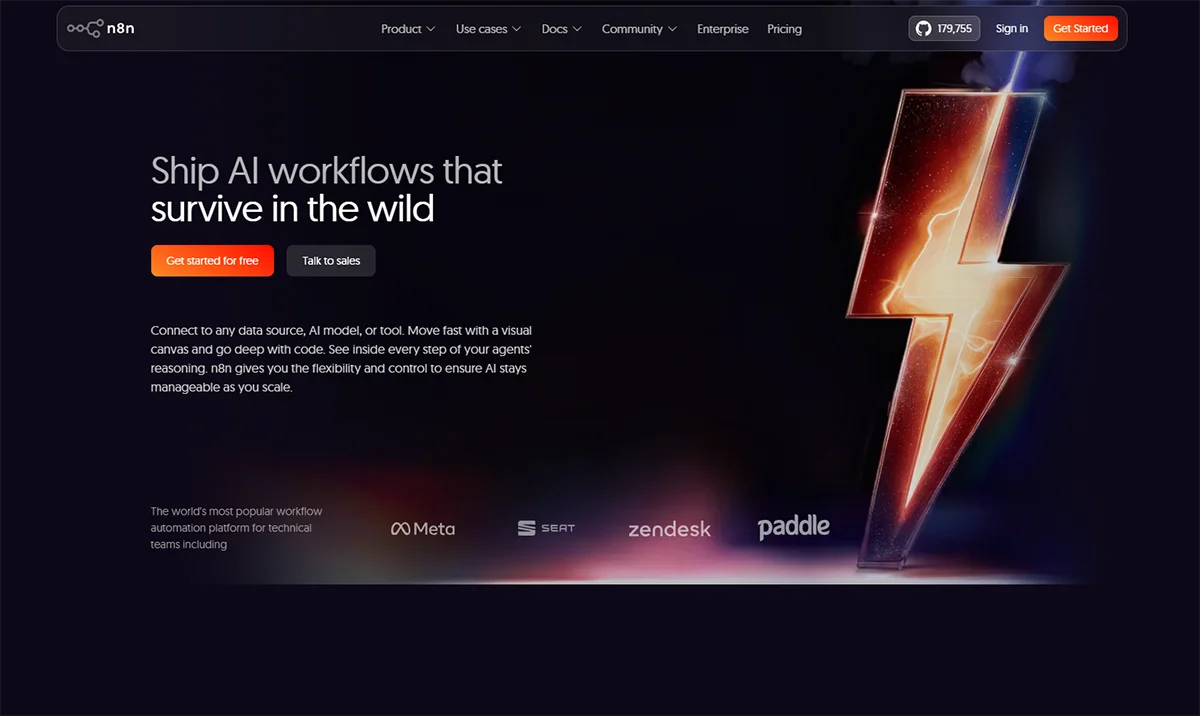
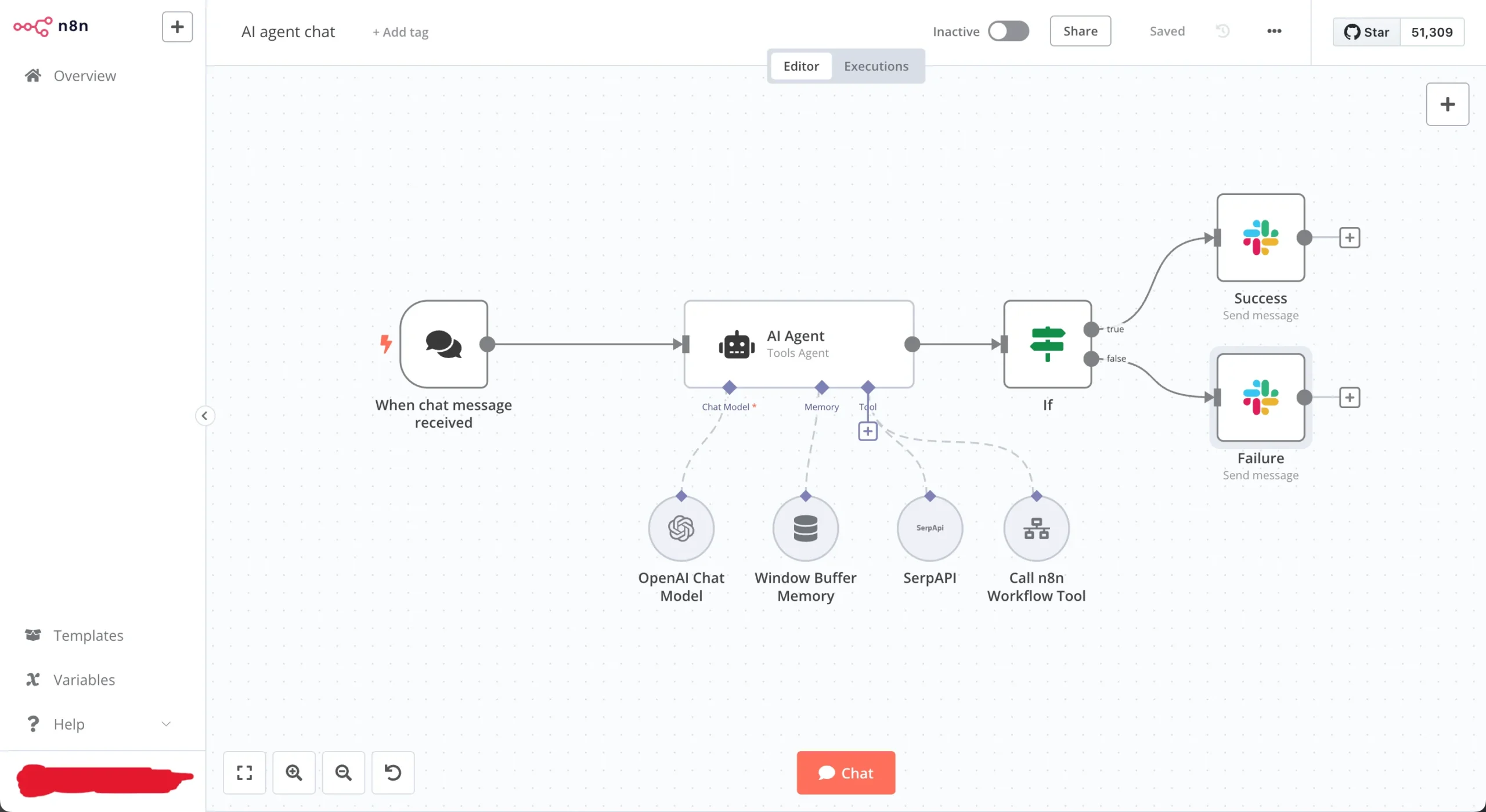
n8n is an open-source workflow automation platform with a visual node-based builder — and the ability to run it entirely on your own server, completely free.
No per-task fees. No subscription that grows with your automation volume. Just a $10–$20/month server cost and workflows that run unlimited tasks without any additional charges. For businesses running serious automation volume, this cost difference is significant.
Beyond cost, n8n is the most customisable tool in this list. It supports custom JavaScript and Python logic, connects to any API, and has the most advanced AI agent capabilities of any tool here — letting you build workflows that reason and make decisions, not just move data.
The honest trade-off: self-hosting requires technical setup. You need to be comfortable managing a basic server environment, or work with someone who is.
💡Zebhook specialises in n8n implementation. If you want the full benefits without handling the technical setup yourself, talk to us
AI capabilities
AI agent nodes, LangChain support, direct integrations with OpenAI, Anthropic, Mistral, and other AI providers.
Key features
- Visual node-based workflow builder
- Self-hosted deployment — full data control, no per-task fees
- Custom JavaScript and Python scripting support
- AI agent nodes and LangChain integration
- 400+ built-in integrations plus custom API support
- Multi-step workflows with advanced conditional logic
Pros
- Free when self-hosted — only server infrastructure costs apply
- Most customisable automation tool available
- Best AI agent capabilities of any tool in this list
- Strong and active open-source community
Cons
- Self-hosting requires technical confidence or external support
- Smaller built-in integration library than Zapier
- Steeper learning curve for non-technical users
n8n pricing
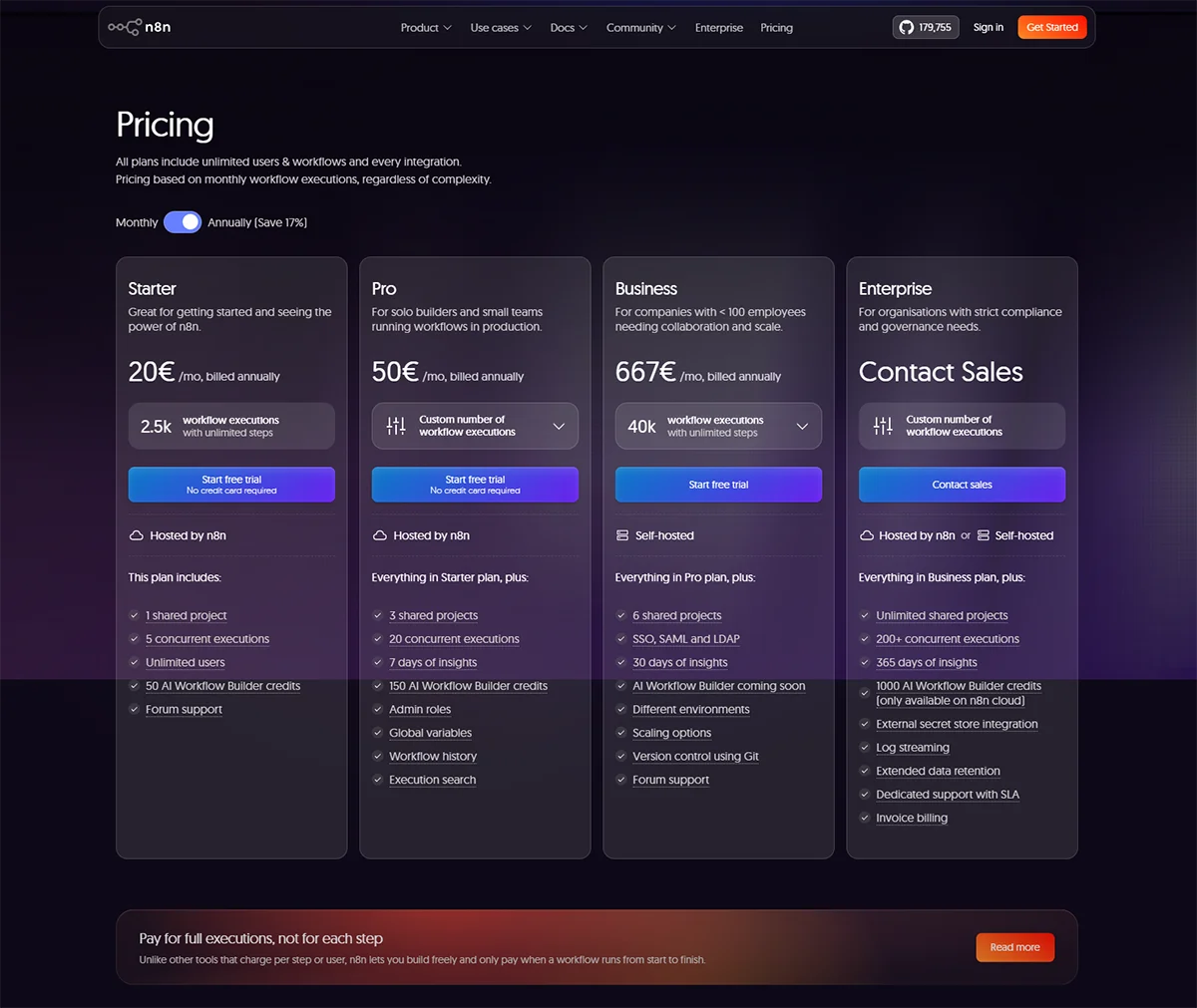
- Self-Hosted: Free (open-source)
- n8n Cloud: From ~$20/month
- Self-hosting server cost: $5–$20/month on a basic VPS
Deployment options
- Self-Hosted: Yes
- Cloud Version: Yes (From n8n cloud)
n8n is best for
Businesses wanting to reduce long-term automation costs. Teams handling sensitive customer data. Technical teams and automation agencies. Businesses needing advanced AI-powered workflows.
n8n reviews
G2: 4.8 out of 5 star rating (from +210 user reviews)
Capterra: 4.6 out of 5 star rating (from +35 user reviews)
4. monday.com — Best All-in-One Work and Automation Platform
What is monday.com?
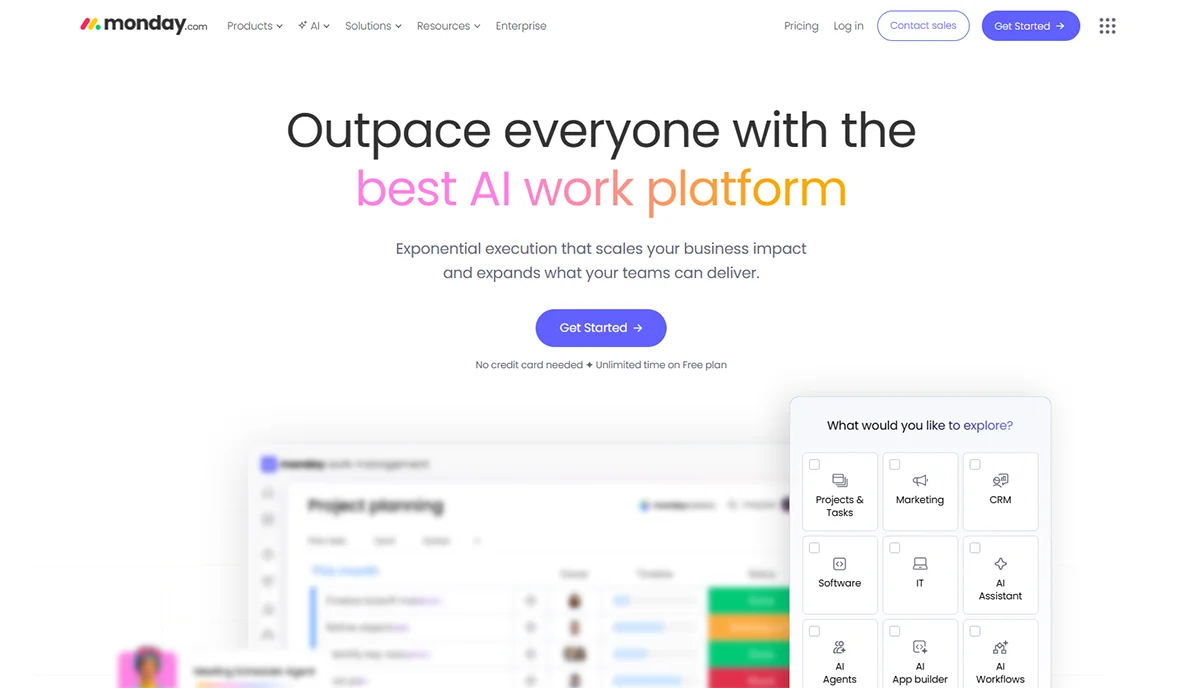
monday.com is one of the most popular work management platforms for growing teams — and its built-in automation engine is significantly more capable than most people realise.
Unlike integration-focused tools like Zapier and Make, monday.com brings your projects, tasks, and automations into one platform. You automate task assignments when a status changes, send notifications when deadlines approach, trigger approval workflows, and connect to external apps — all without leaving the platform where your team manages daily work.
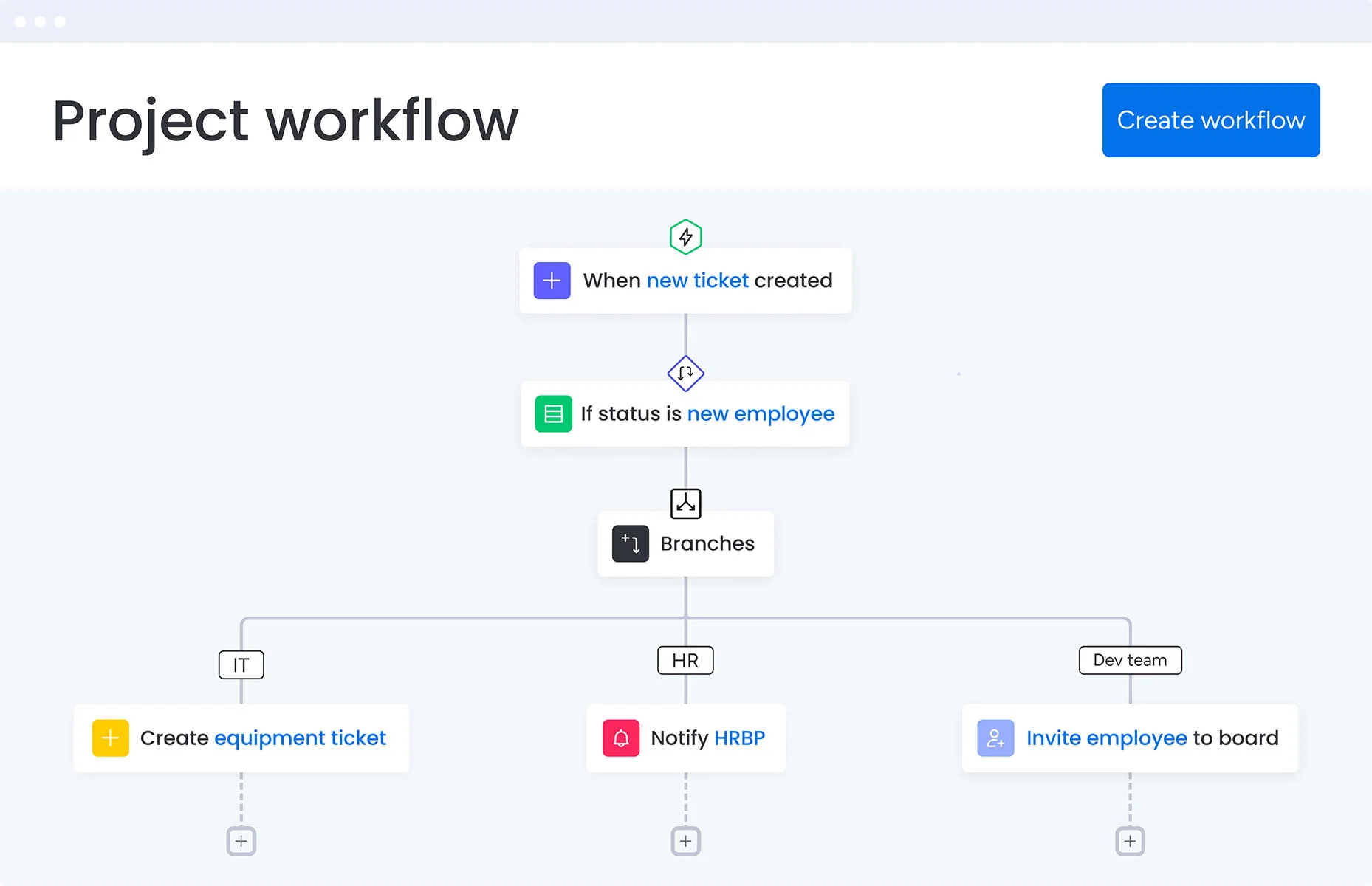
For teams managing client projects, service delivery pipelines, or sales processes, this eliminates the need for a separate project management tool and a separate automation platform. In 2026, monday.com added AI-powered automation building — describe what you want and it builds the workflow for you.
AI capabilities
Natural language workflow builder, AI-powered task and project summaries, intelligent automation suggestions.
Key features
- Native workflow automation built into project management
- AI-powered automation builder using natural language
- 200+ third-party app integrations
- Approval workflows and automated team notifications
- Real-time dashboards and reporting
- No-code drag-and-drop automation blocks
Pros
- No separate automation tool needed — project management and automation in one
- Very user-friendly — teams adopt it quickly
- Excellent visibility across projects and teams
- Strong mobile app and customer support
Cons
- Automation primarily within monday.com — less flexible for deep cross-platform integrations
- Gets expensive for larger teams on higher plans
- Less suitable for complex multi-system data automation
monday.com pricing
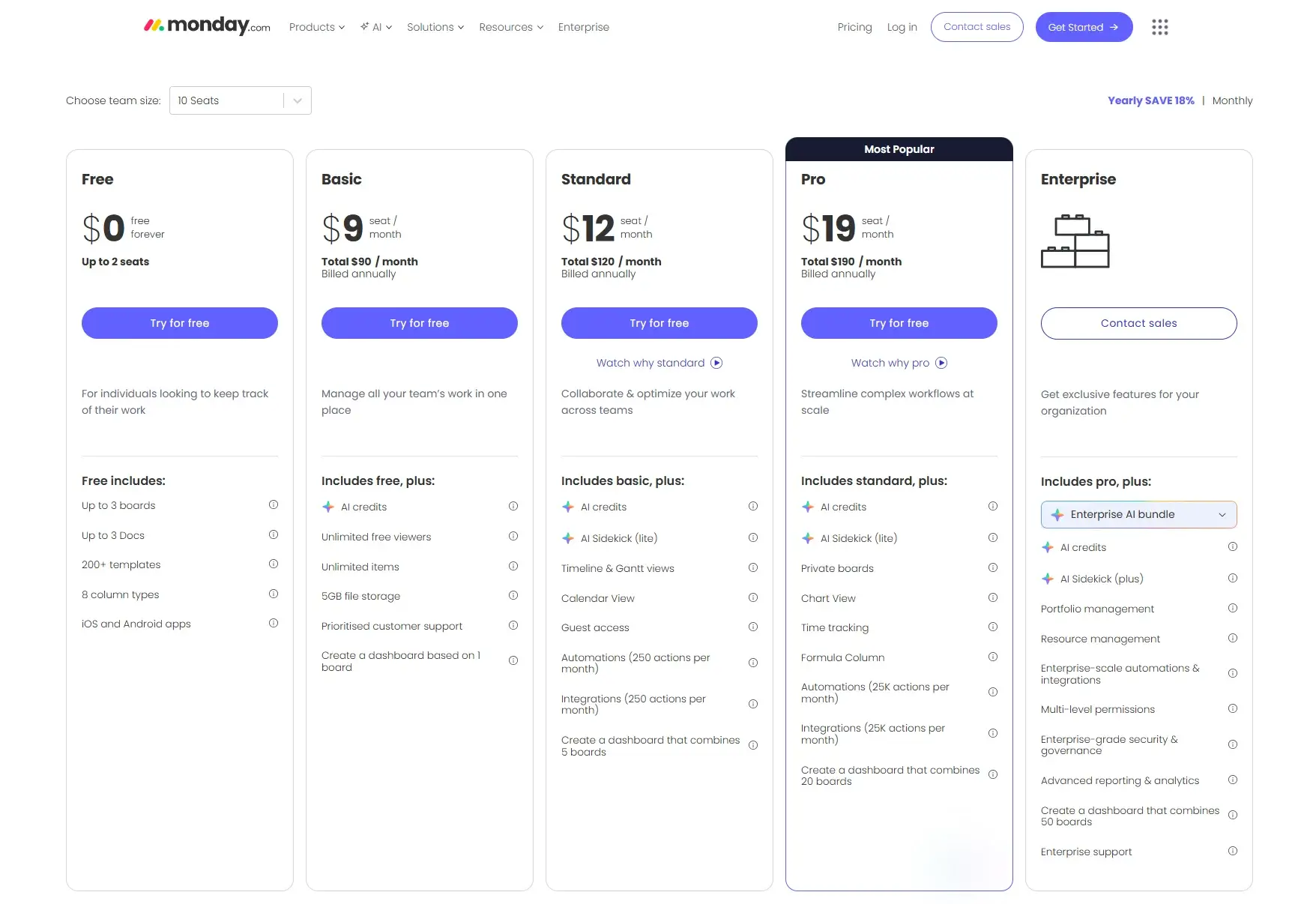
- Free: Up to 2 seats
- Basic: $9/seat/month
- Standard: $12/seat/month
- Pro: $19/seat/month
- Enterprise: Custom
Deployment options
- Self-Hosted: No
- Cloud Version: Yes
monday.com is best for
Teams managing multiple client projects or service delivery workflows. Operations managers who want one platform for visibility and automation.
monday.com reviews
G2: 4.7 out of 5 star rating (from +15,000 user reviews)
Capterra: 4.6 out of 5 star rating (from +5,700 user reviews)
Gartner Peer Insights: 4.5 out of 5 star rating (from +12,00 user reviews)
5: ClickUp — Best All-in-One Operations and Automation Tool
What is ClickUp?
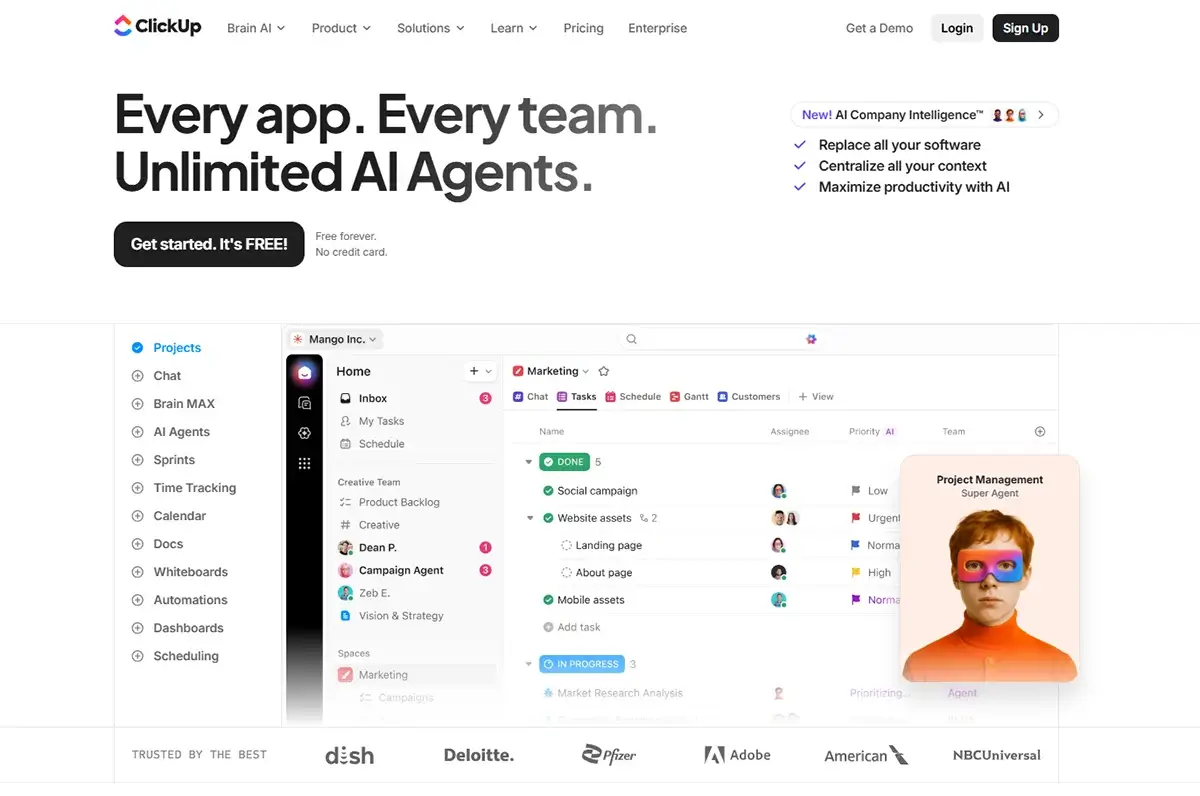
ClickUp combines project management, documentation, time tracking, goals, and workflow automation into a single platform. For businesses running too many separate tools and wanting to consolidate, it’s one of the most capable options available.
Its automation engine creates rules that trigger actions across tasks, projects, and 1,000+ external apps. Automatically assign work, update statuses, send notifications, and connect to external tools — all from the same platform where your team manages operations.
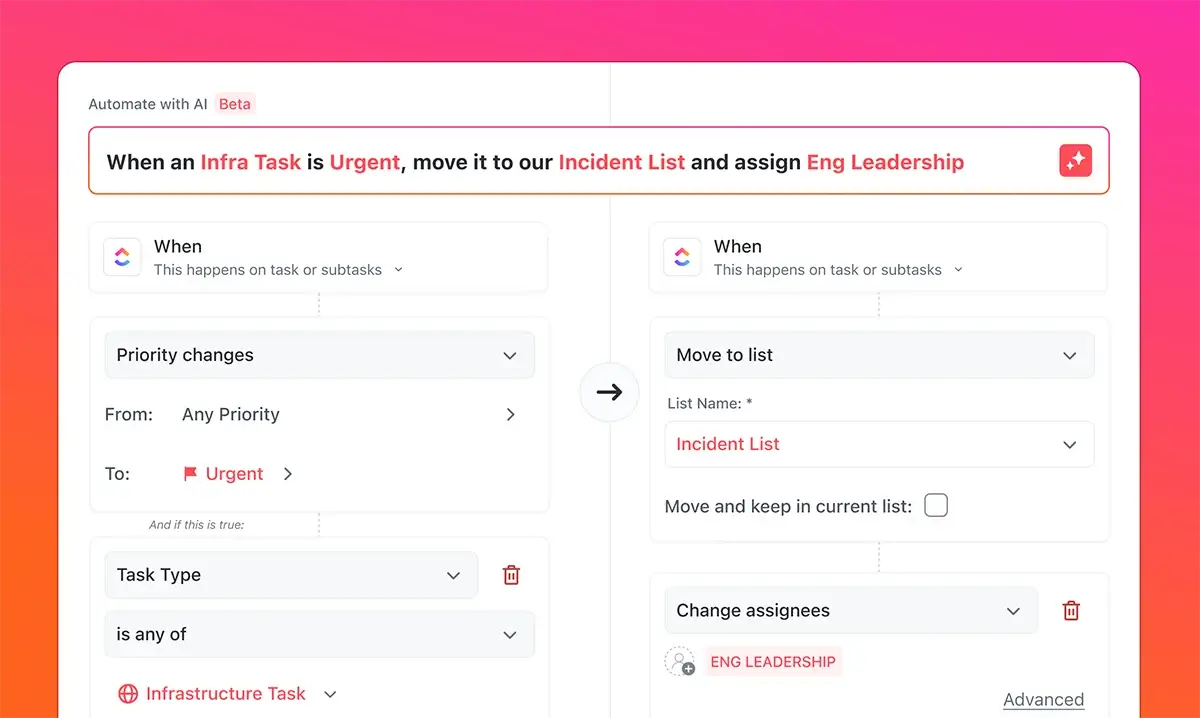
ClickUp’s strongest selling point is flexibility — it adapts to almost any team structure or operational process. The trade-off is real complexity. ClickUp takes time and intention to configure properly.
AI capabilities
ClickUp Brain — AI-powered task summaries, automatic status updates, intelligent workflow suggestions, and an AI writing assistant built across the platform.
Key features
- Workflow automation across tasks, projects, and external apps
- ClickUp Brain AI layer for intelligent automation and summaries
- 1,000+ external app integrations
- Project management, docs, and time tracking in one platform
- Highly customisable views and workspace structure
- Generous free plan
Pros
- Replaces multiple separate tools — genuine consolidation value
- Highly flexible — works for almost any team structure
- Strong AI features across all paid plans
- One of the best free plans available
Cons
- Steep learning curve — requires time to configure well
- Can feel overwhelming for teams that just need simple automation
- Performance can slow with very large workspaces
ClickUp pricing
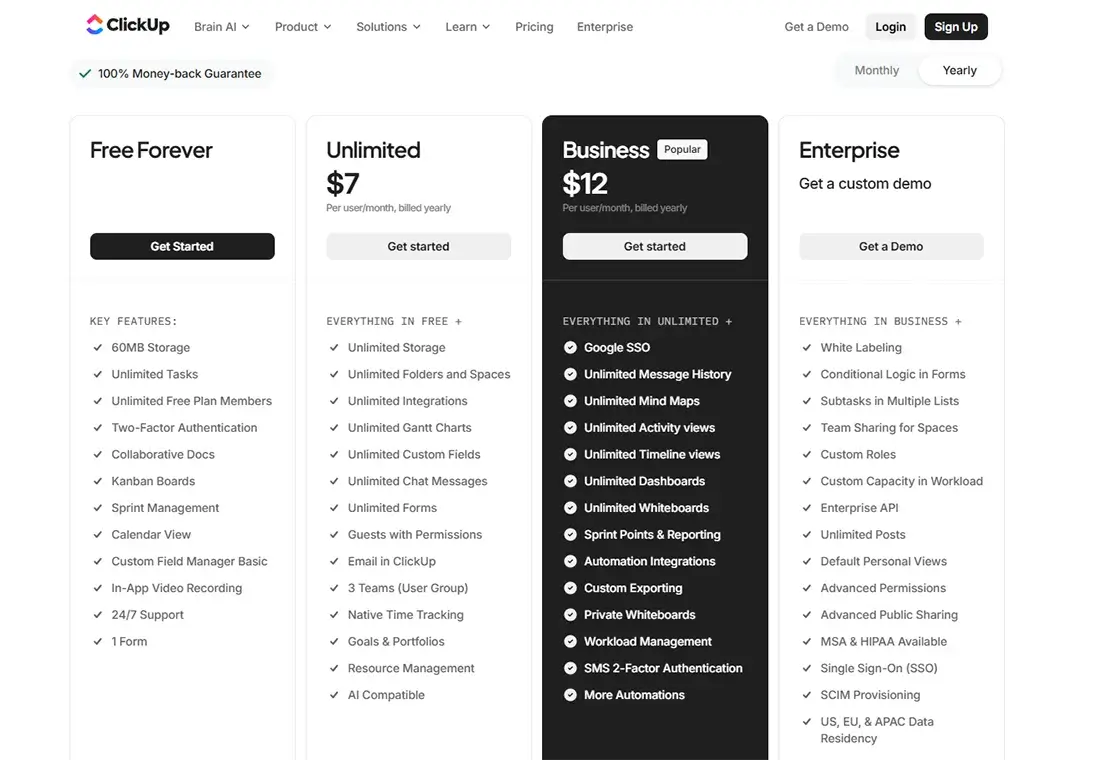
- Free: Unlimited tasks, limited automation
- Unlimited: $7/user/month
- Business: $12/user/month
- Enterprise: Custom
Deployment options
- Self-Hosted: No
- Cloud Version: Yes
ClickUp is best for
Operations-heavy businesses wanting to consolidate tools. Teams managing complex projects and client work. Growing businesses willing to invest setup time for long-term efficiency.
ClickUp reviews
G2: 4.7 out of 5 star rating (from +11,200 user reviews)
Capterra: 4.6 out of 5 star rating (from +4,500 user reviews)
Gartner Peer Insights: 4.4 out of 5 star rating (from +5,50 user reviews)
6: Pabbly Connect — Best Budget Workflow Automation Tool
What is Pabbly Connect?
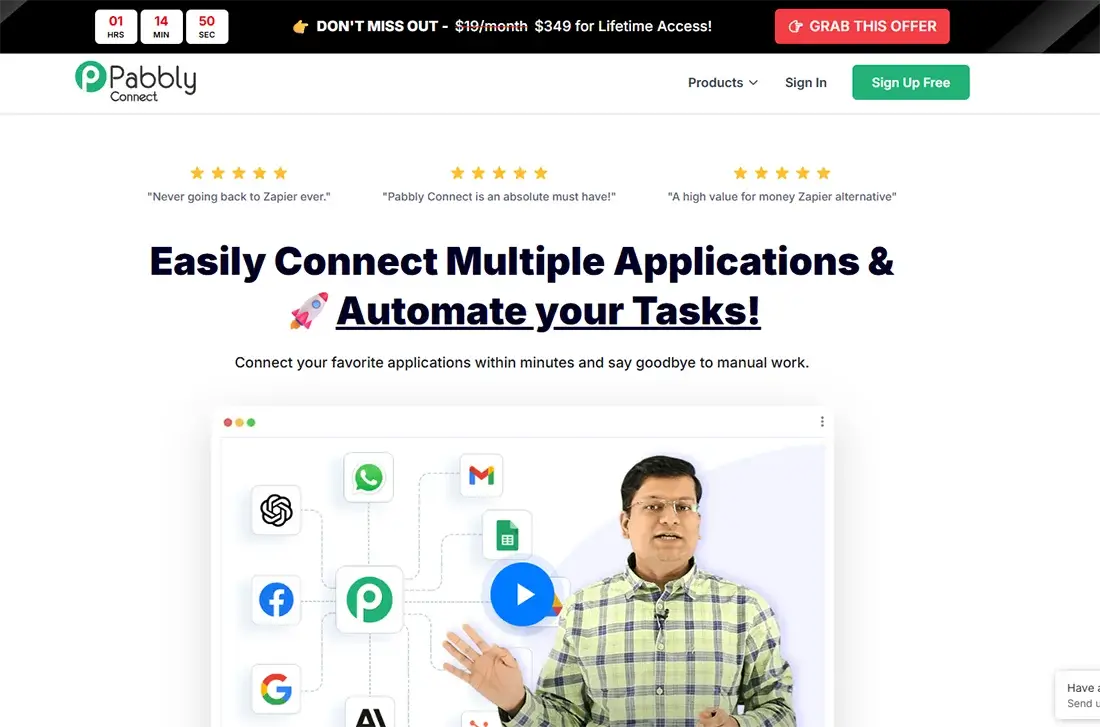
Pabbly Connect has built a loyal following among cost-conscious businesses for one specific reason: lifetime deal pricing. Pay once, use it forever. No monthly subscription that climbs as you scale.
With 1,000+ integrations and multi-step workflows included on all plans, Pabbly Connect delivers solid automation capability at a fraction of Zapier’s cost for equivalent volume. For marketing automation, lead capture, CRM updates, and payment notifications — it handles these reliably.
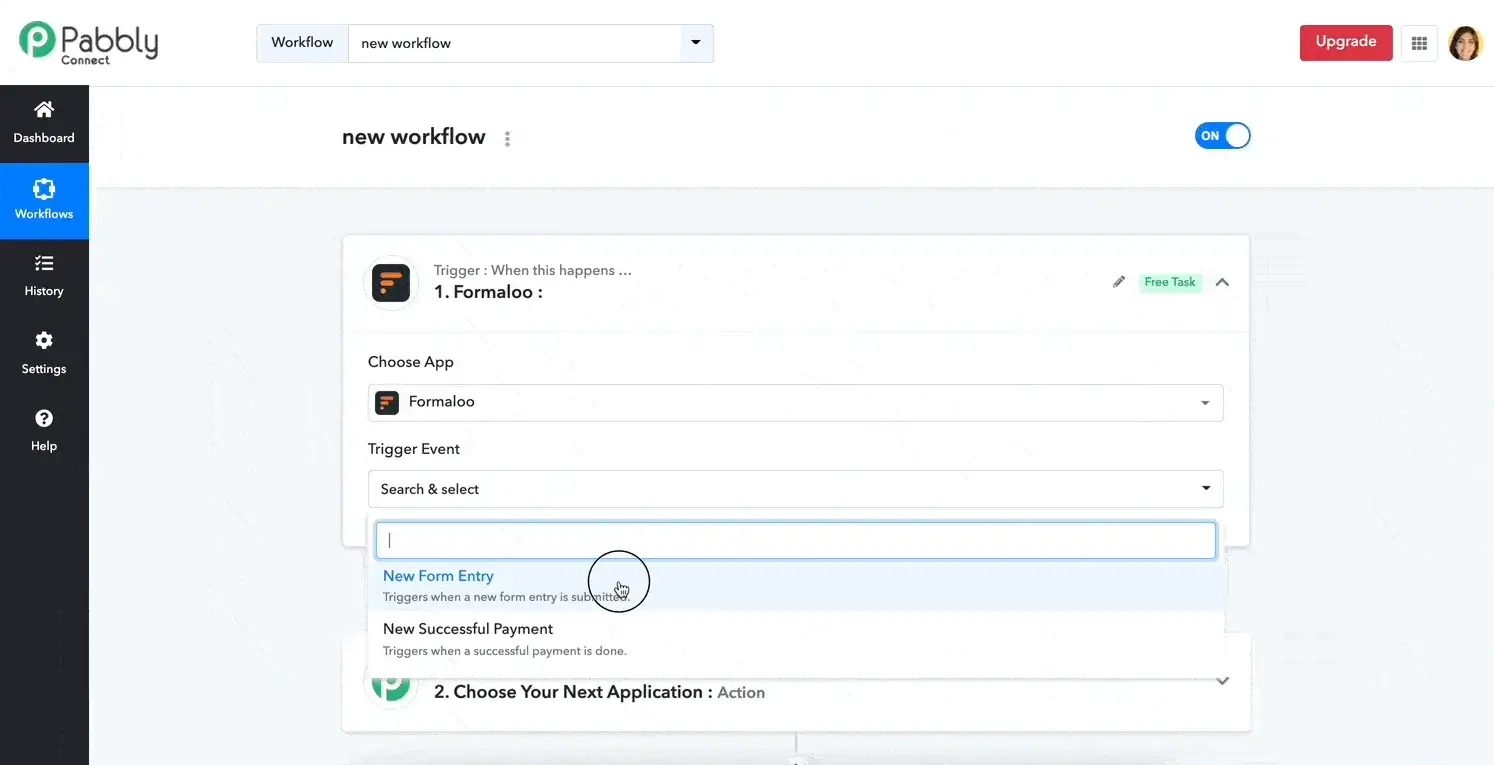
The limitations are worth being honest about. Execution speed is slower than Zapier or Make. The interface is less polished. For time-critical workflows, you’ll notice the difference. For straightforward, non-urgent automation, it does the job well.
AI capabilities
Basic AI integrations available. Not a core feature of the platform.
Key features
- No-code workflow automation builder
- 1,000+ app integrations
- Multi-step workflows included on all plans
- Filters, conditional logic, and scheduling
- Auto-retry for failed workflows
- Webhook support
Pros
- Most affordable tool in this list — especially with lifetime deals
- Multi-step workflows on all plans (Zapier charges extra)
- Unlimited workflows on paid plans
- Good for marketing, CRM, and payment automation
Cons
- Slower execution compared to Zapier and Make
- Interface less polished than competitors
- No self-hosted option
Pabbly connect pricing
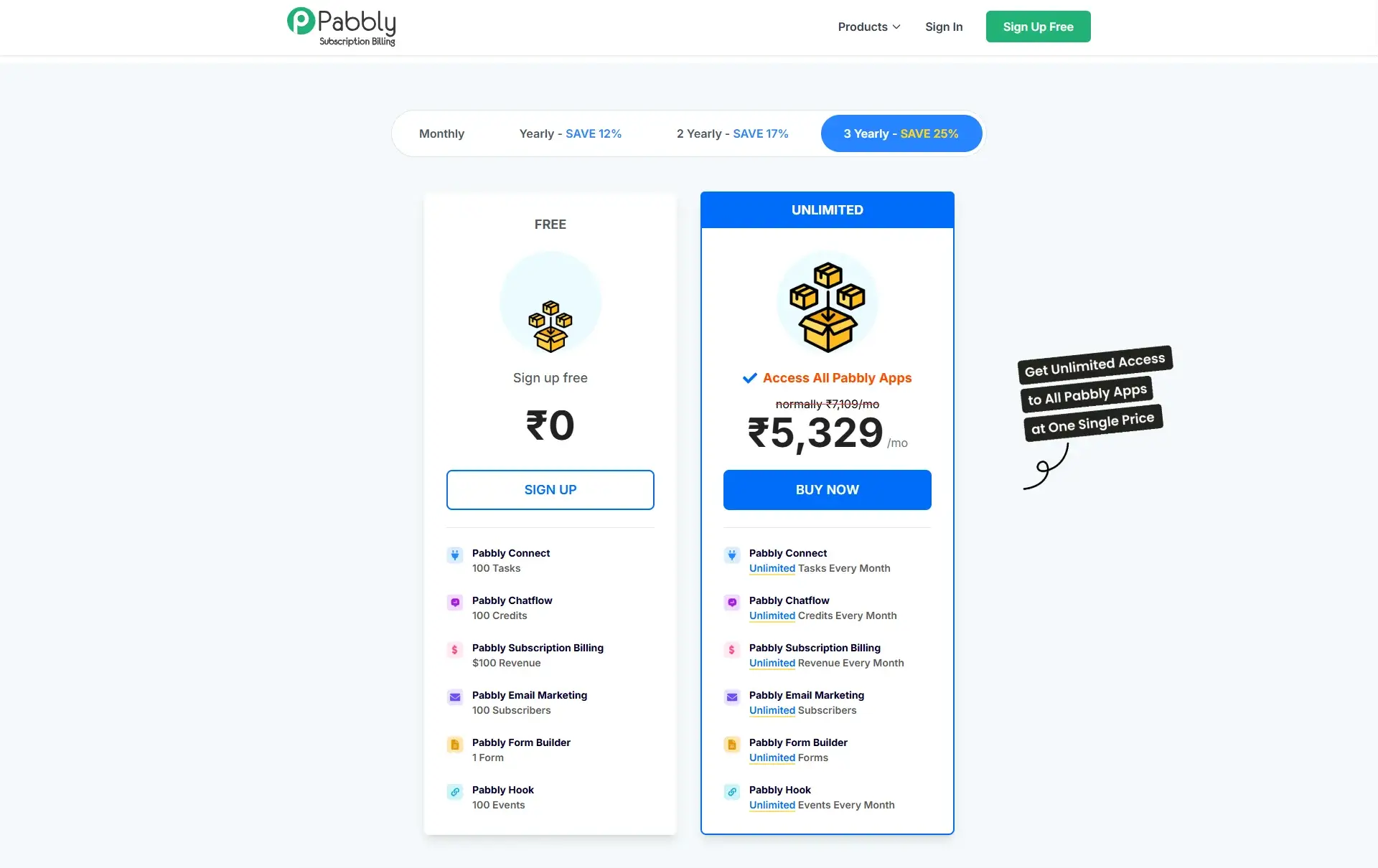
- Starter: $19/month (12,000 tasks)
- Rookie: $39/month (24,000 tasks)
- Pro: $99/month (60,000 tasks)
- Lifetime deals: Available periodically
Deployment options
- Self-Hosted: No
- Cloud Version: yes
Pabbly connect is best for
Budget-conscious businesses. Teams automating marketing workflows, CRM updates, and payment notifications where speed is not critical.
Pabbly connect reviews
Capterra: 4.5 out of 5 star rating (from +70 user reviews)
7. Asana — Best for Task and Project Workflow Automation
What is Asana?
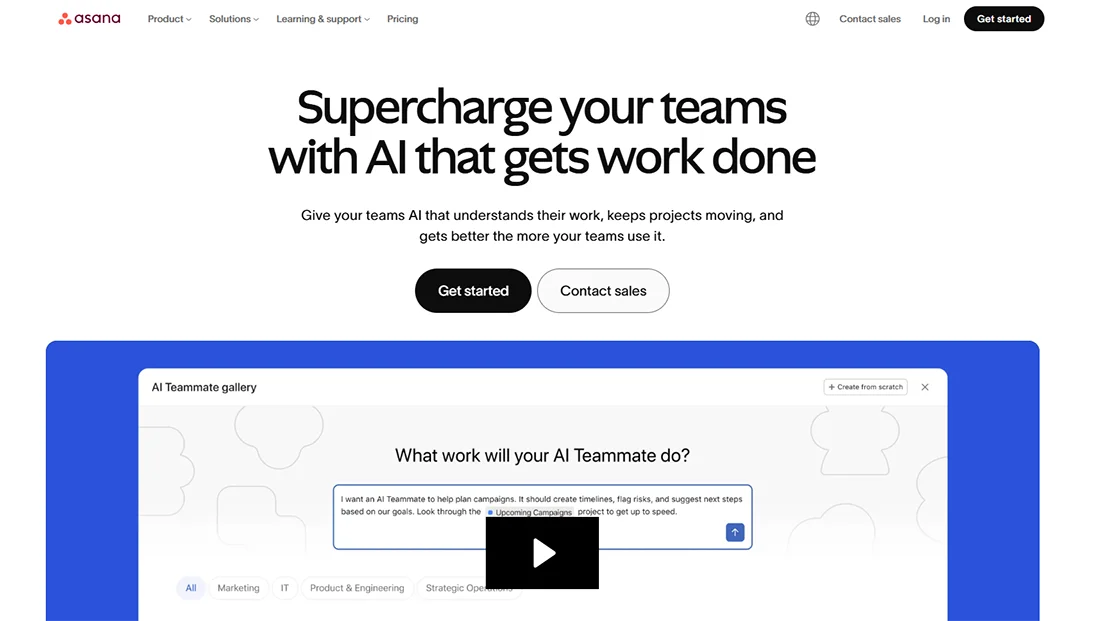
Asana is one of the most widely adopted project management tools for growing teams — and its workflow automation has matured significantly over the past two years.
Asana delivers the most value for internal workflow automation — automatically assigning tasks when a project hits a certain stage, sending reminders before deadlines, moving work through defined delivery stages, and notifying the right people when something needs their attention.
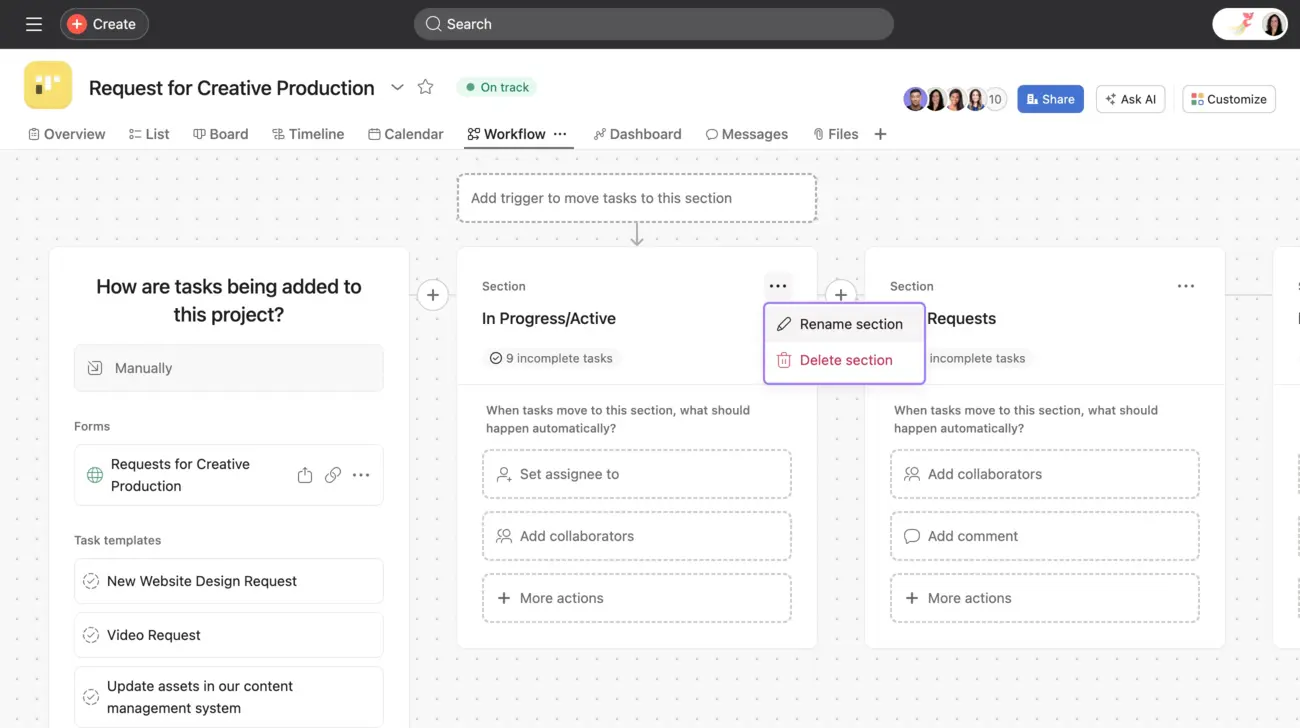
For businesses with repeatable operational processes — client onboarding, content production pipelines, service delivery stages, internal approvals — Asana reduces the coordination overhead that usually falls manually on a project manager or operations lead.
AI Capabilities
Asana AI — smart project status summaries, AI-generated goal suggestions, automated workflow recommendations.
Key Features
- Workflow automation across projects, tasks, and stages
- Rules-based triggers and automated task assignments
- 200+ external app integrations
- Asana AI for project summaries and workflow suggestions
- Clean, intuitive interface with low learning curve
- Strong mobile app
Pros
- Excellent for internal project and task workflow automation
- Clean interface — teams adopt it quickly
- Strong integrations with common business tools
- AI features genuinely useful for project visibility
Cons
- Less powerful than Make or n8n for complex cross-system data integration
- Gets expensive for larger teams on advanced plans
- Better for internal workflows than cross-platform automation
Asana Pricing
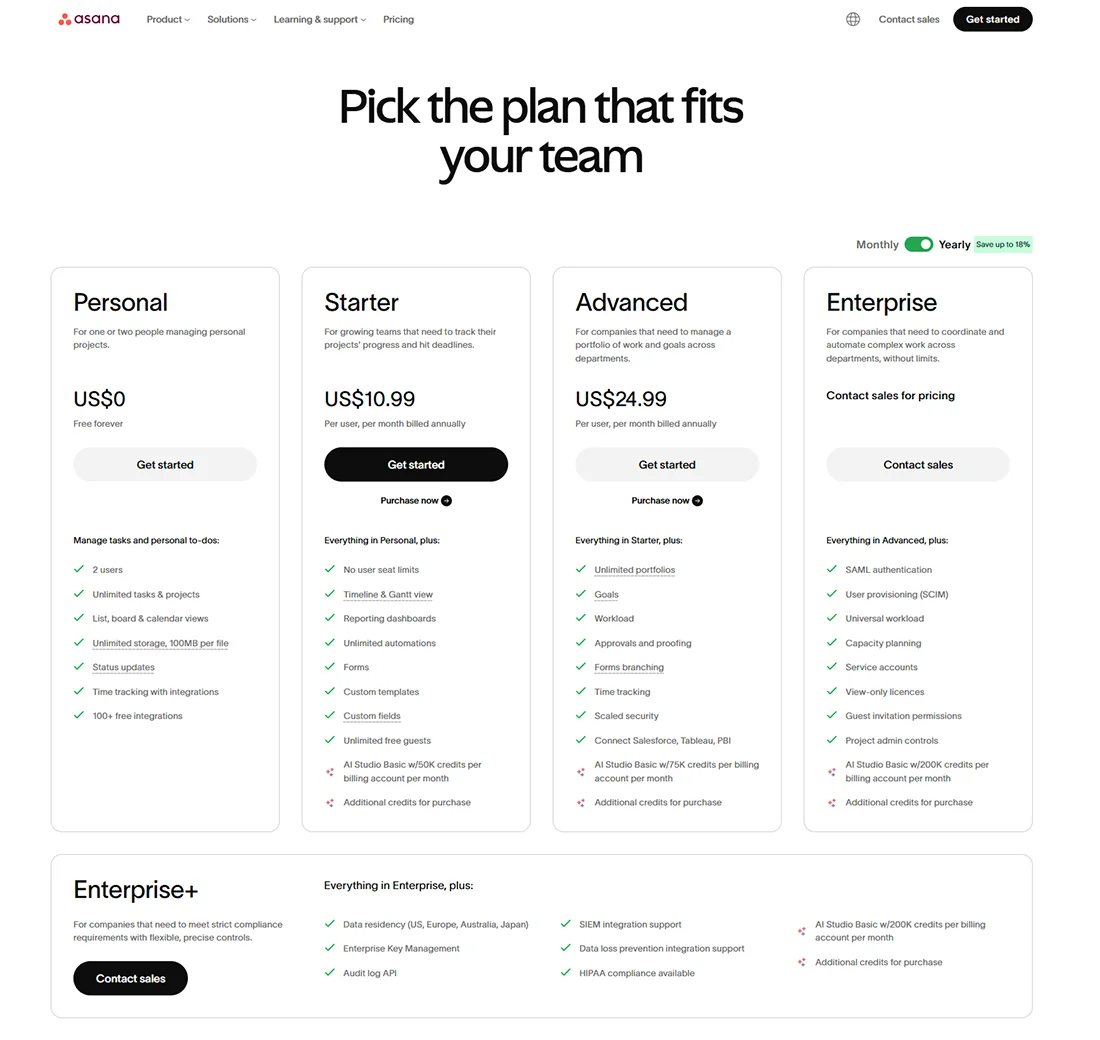
- Personal: Free (up to 10 users)
- Starter: $10.99/user/month
- Advanced: $24.99/user/month
- Enterprise: Custom
Deployment options
- Self-Hosted: No
- Cloud Version: yes
Asana is best for
Teams managing projects and client delivery workflows. Operations managers automating task handoffs and internal approvals.
Asana reviews
G2: 4.4 out of 5 star rating (from +13,200 user reviews)
Capterra: 4.5 out of 5 star rating (from +13,500 user reviews)
Gartner Peer Insights: 4.5out of 5 star rating (from +2,350 user reviews)
8. Microsoft Power Automate — Best for Microsoft 365 Businesses
What is Microsoft?
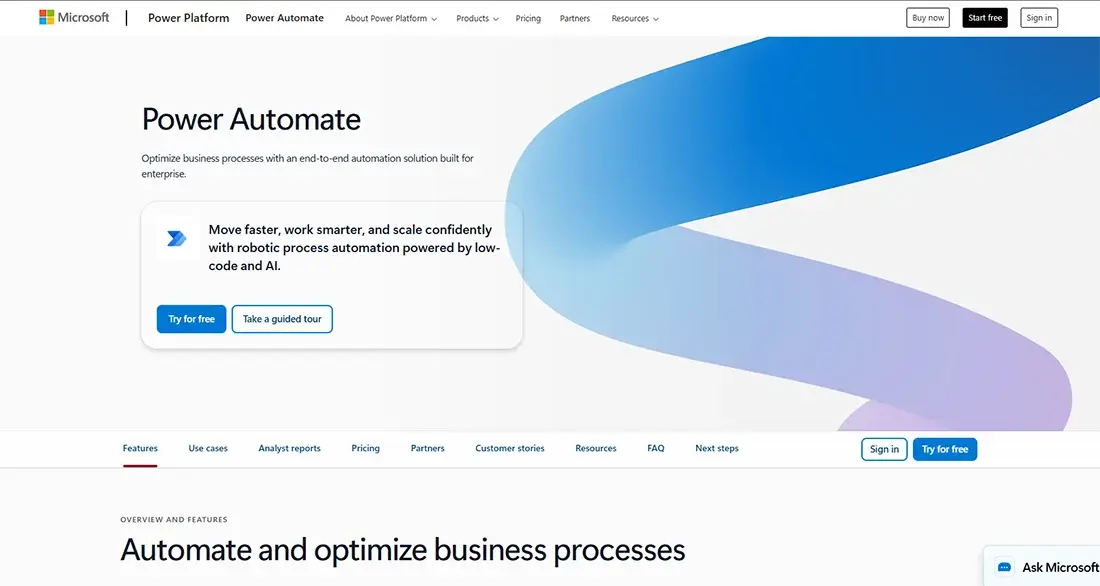
If your business runs on Microsoft 365 — Outlook, Teams, SharePoint, Excel, or Dynamics — Power Automate is the most natural automation choice available. It connects all Microsoft tools natively and is often already included in your existing Microsoft 365 subscription.
What makes it particularly strong in 2026 is the deep Microsoft Copilot integration — describe a workflow in plain English and Copilot builds it for you. It also supports desktop automation (RPA) — meaning it can automate interactions with legacy software that doesn’t have a modern API.
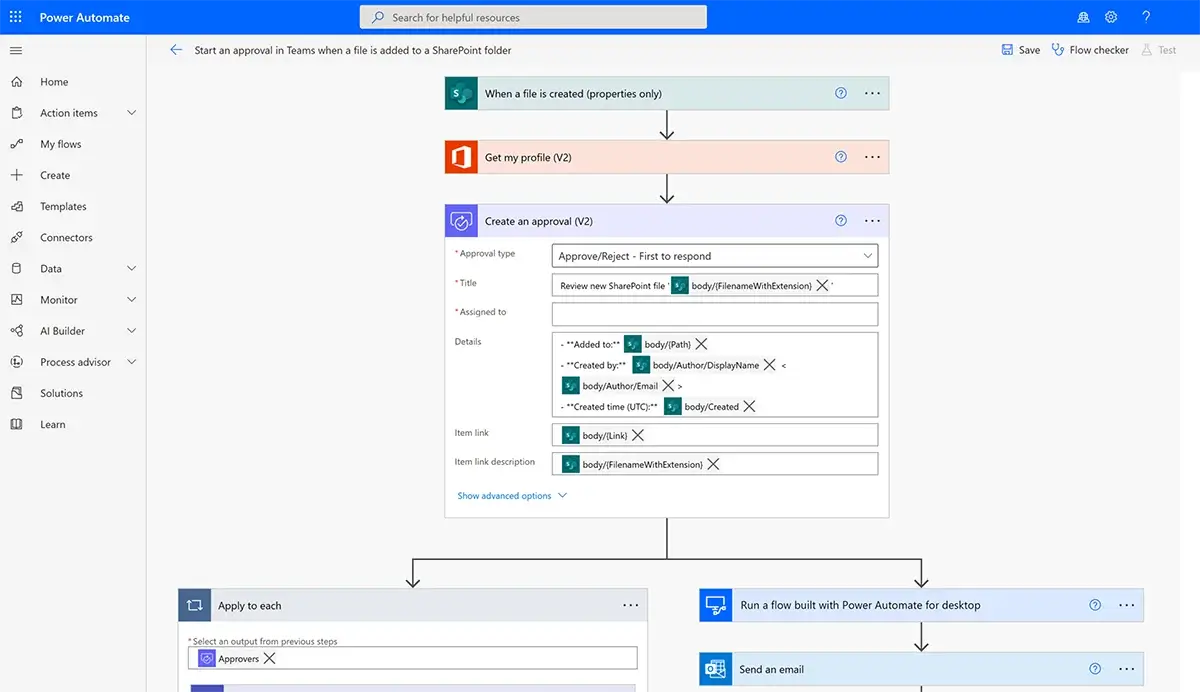
The honest caveat: Power Automate works best within the Microsoft ecosystem. If your business uses a mixed stack, Zapier or Make will give you better cross-platform flexibility.
AI Capabilities
Microsoft Copilot deeply integrated — natural language workflow building, AI Builder for document processing, image recognition, and business prediction models.
Key Features
- Deep native integration with all Microsoft 365 applications
- Copilot AI for plain English workflow building
- Cloud flows and desktop flows (RPA)
- Power Automate Desktop — free with Windows 10/11, enables full robotic process automation on local machines without any API required
- AI Builder for intelligent document and data processing
- 1,000+ connectors including enterprise applications
- Enterprise-grade security and compliance features
Pros
- Best-in-class for Microsoft 365 automation
- Copilot makes automation accessible to non-technical users
- Includes desktop automation (RPA) for legacy software
- Power Automate Desktop is free for Windows users — ideal for automating local apps, files, and desktop workflows
- Strong governance and compliance for regulated industries
Cons
- Works best within Microsoft — less ideal for mixed tool stacks
- Complex pricing structure with expensive add-ons
- Premium connectors add significant cost
- Power Automate Desktop has a steeper learning curve for advanced RPA flows
Microsoft power automate pricing
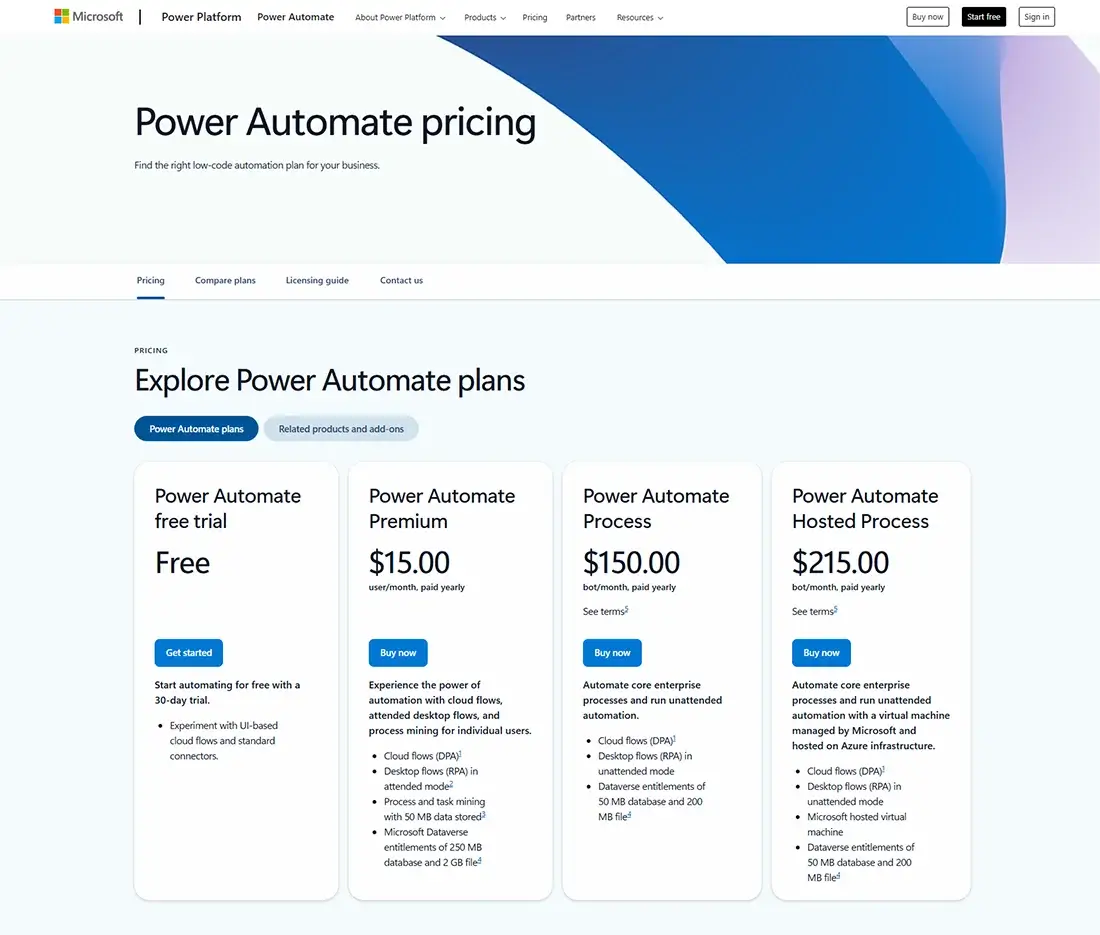
- Per User Plan: $15/user/month
- Per Flow Plan: $100/flow/month
- Power Automate Premium: $40/user/month (includes RPA)
- Power Automate Desktop: Free with Windows 10/11
- Often partially included in existing Microsoft 365 subscriptions
Deployment options
- Self-Hosted: No
- Cloud Version: Yes
- Desktop app for the RPA
Microsoft power automate is best for
Businesses standardised on Microsoft 365. Teams in regulated industries needing strong compliance. Companies with legacy desktop software. Windows users wanting free RPA via Power Automate Desktop.
Microsoft power automate reviews
G2: 4.4 out of 5 star rating (from +1,000 user reviews)
Capterra: 4.4 out of 5 star rating (from +200 user reviews)
9. Kissflow — Best for Internal Business Process Automation
What is Kissflow?
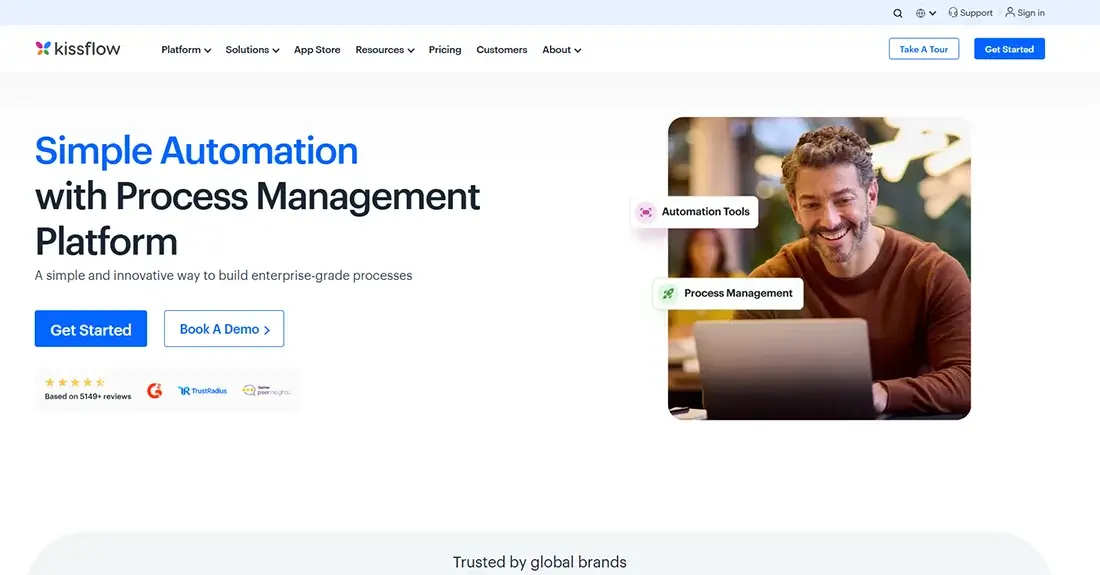
Kissflow solves a specific problem that most other tools in this list don’t address directly: structured business processes — purchase approvals, HR onboarding, expense claims, service escalations — that currently live in email chains and spreadsheets.
Where Zapier and Make focus on connecting apps and automating data flow, Kissflow focuses on business process management — building structured workflows with defined stages, role assignments, approval conditions, and full process tracking.
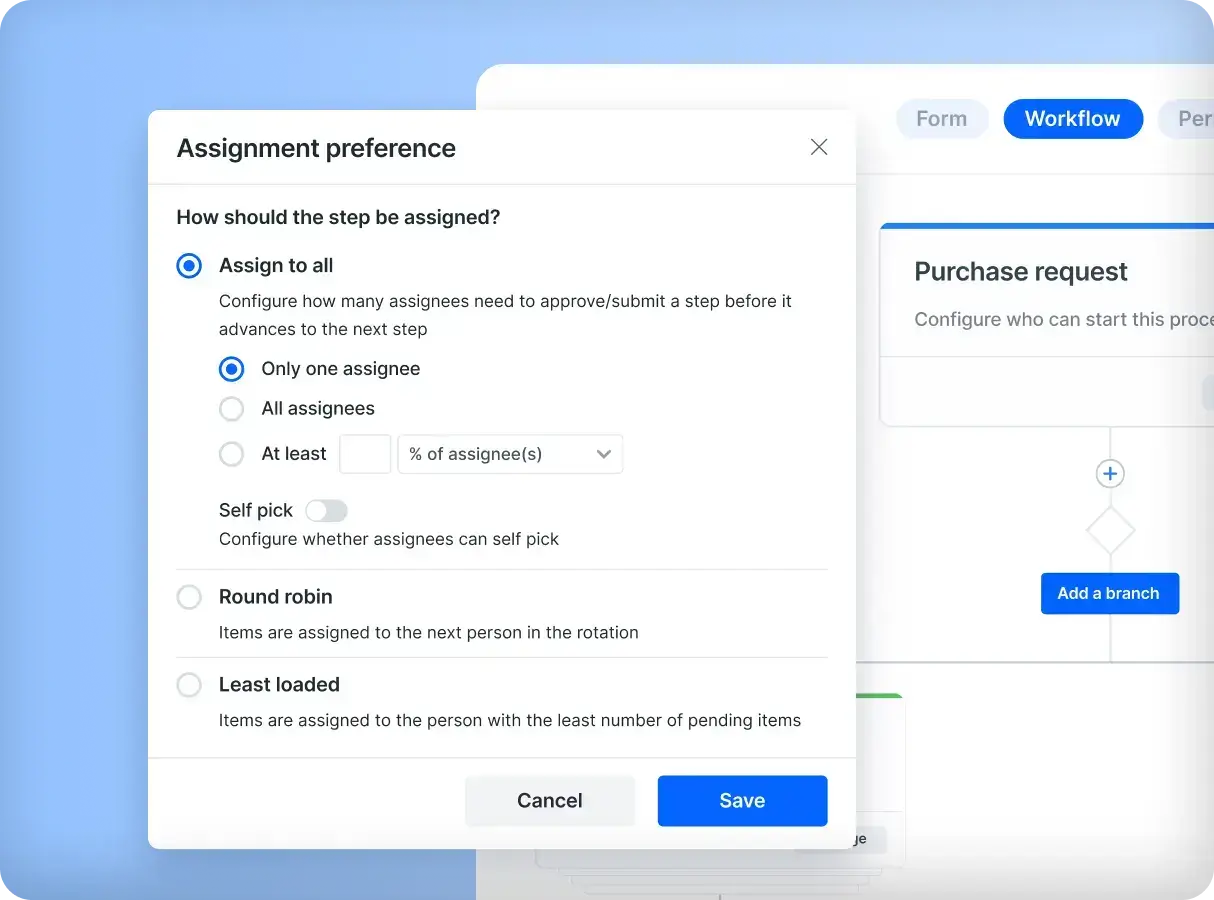
For businesses where process accountability, audit trails, and multi-person approval workflows are important — Kissflow provides structure that app-to-app automation tools simply aren’t designed for.
AI Capabilities
AI-powered workflow builder, intelligent process routing, automated form suggestions.
Key Features
- Visual process workflow builder with stages and role assignments
- Approval workflows with conditional routing
- Real-time process tracking and audit trails
- AI-powered workflow building and routing
- No-code interface accessible to non-technical teams
- Reporting and process analytics
Pros
- Best tool for formalising multi-person approval workflows
- Very accessible for non-technical operations and HR teams
- Strong process visibility and accountability
- Good for HR, finance, procurement, and operations workflows
Cons
- Higher price point — suited to teams of 25+
- Fewer third-party app integrations than Zapier or Make
- Not designed for simple app-to-app automation
Kissflow Pricing
- Team-based and custom pricing — contact Kissflow directly
Deployment options
- Self-Hosted: No
- Cloud Version: Yes
Kissflow is best for
Businesses with structured internal approval and operational workflows. HR, finance, and procurement teams. Operations managers moving processes off email and spreadsheets.
Kissflow reviews
G2: 4.3 out of 5 star rating (from +500 user reviews)
Capterra: 4.2 out of 5 star rating (from +85 user reviews)
Gartner Peer Insights: 4.4 out of 5 star rating (from +265 user reviews)
10. Activepieces — Best Open-Source Workflow Automation Alternative
What is Activepieces?
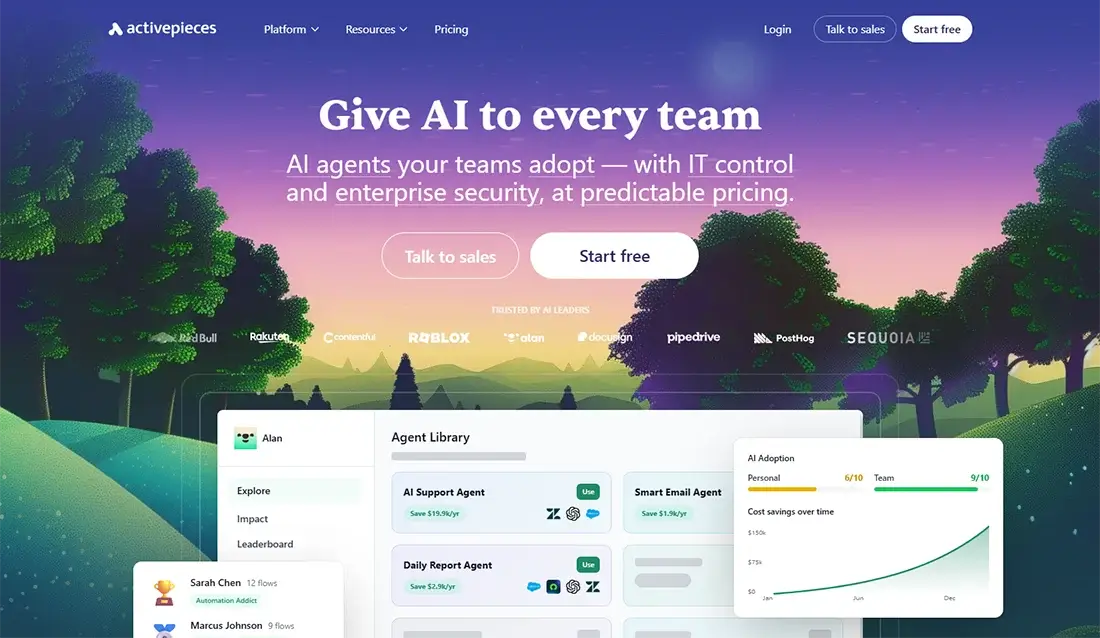
Activepieces is a modern open-source automation platform that offers the cleanest, most beginner-friendly interface of any self-hosted tool currently available. Where n8n can feel technical and complex, Activepieces is genuinely accessible to non-developers.
Like n8n, you can self-host it on your own server completely free — no per-task fees, no subscription, and full control over where your data lives. It connects to 580+ apps including WhatsApp Business API, most CRMs, Google Workspace, Slack, and popular AI tools.
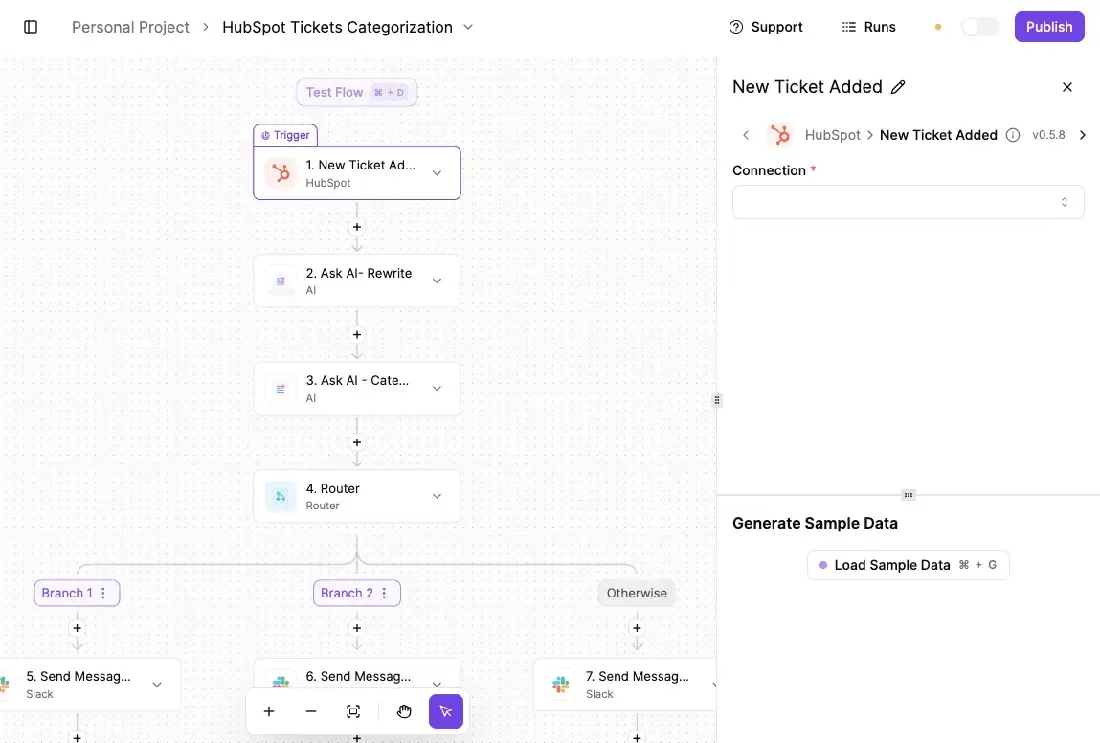
For businesses in regulated industries or those with data sensitivity requirements, Activepieces gives you automation capability with complete infrastructure control — at almost no monthly cost.
AI Capabilities
Native AI integrations for OpenAI, Anthropic Claude, and image generation.
Key Features
- Open-source with full self-hosted deployment option
- Clean, modern UI — accessible without developer expertise
- 580+ app integrations including WhatsApp Business API
- Custom piece development for missing integrations
- Webhook and API support
- Multi-step workflows with conditions and branching
Pros
- Free when self-hosted — only server costs apply
- Most beginner-friendly self-hosted tool available
- Growing integration library with active community development
- Full data control for privacy-sensitive businesses
Cons
- Less mature than n8n for highly complex workflows
- Smaller community — fewer tutorials and solutions
- Some advanced features still in active development
Activepieces pricing
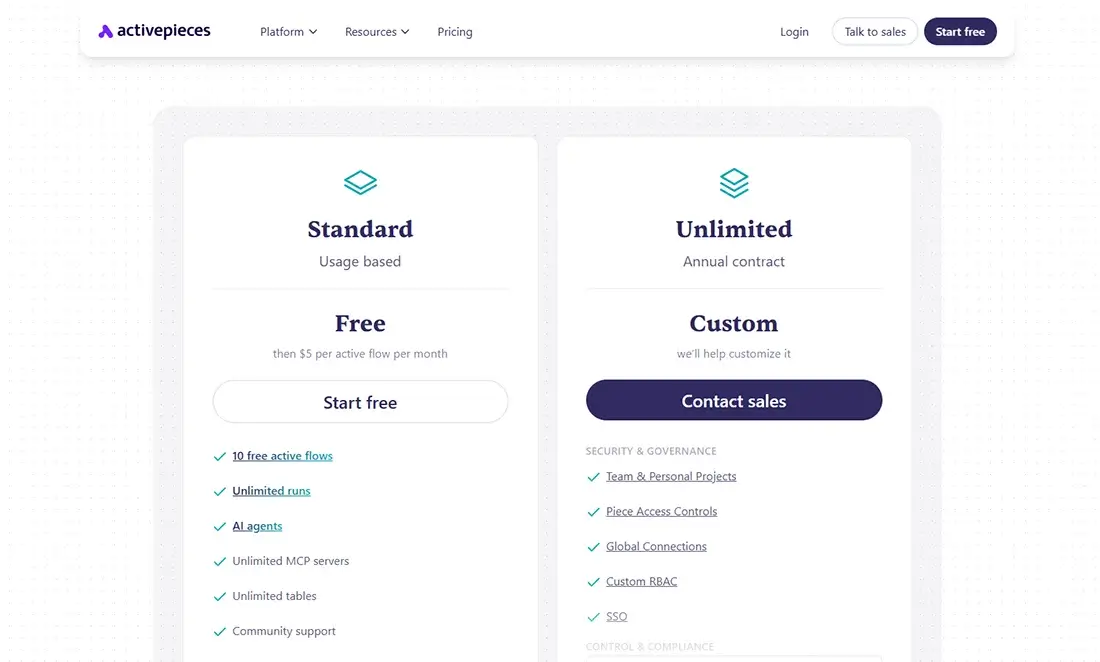
- Self-Hosted: Free (open-source)
- Cloud plans: Available — pricing varies by usage
Deployment options
- Self-Hosted: No
- Cloud Version: Yes
Activepieces is best for
Businesses prioritising data privacy and control. Teams wanting self-hosted automation without n8n’s technical complexity. Businesses in regulated industries managing sensitive customer data.
Activepieces reviews
G2: 4.8 out of 5 star rating (from +140 user reviews)
Self-Hosted vs Cloud: Which Should You Choose?
| Factor | Cloud Tools | Self-Hosted Tools |
| Setup time | Same day | 1–2 days |
| Technical skill required | None | Basic to moderate |
| Monthly cost | $20–$200+ | $5–$20 (server only) |
| Cost as volume grows | Increases significantly | Stays flat |
| Data control | Limited | Complete |
| Customisation | Limited | Unlimited |
| Maintenance | Provider handles | You manage |
| Best for | Getting started fast | Long-term savings, data privacy |
My recommendation: Start with a cloud tool — Zapier or Make — to validate your automation workflows quickly. Once your automations are running consistently and volume is growing, evaluate self-hosted n8n to cut long-term costs and gain full data control.
Want help setting up self-hosted automation for your business? Talk to the Zebhook team — this is exactly what we specialise in.
Which Workflow Automation Tool Is Right for Your Business?
For businesses new to automation:
Start with Zapier or Make. Both are cloud-based, require no technical setup, and can have your first workflows running within a day.
- Make — better long-term value
- Zapier — marginally easier on day one
- Pabbly Connect — budget pick
For teams managing projects and client work:
- monday.com — cleaner and easier to adopt
- ClickUp — more flexible but takes longer to configure properly
Both combine project management and automation in one platform.
For businesses wanting full control and lowest long-term costs:
- n8n self-hosted — the cost difference at scale is significant and the customisation is unmatched
If you want it set up properly without handling it yourself, Zebhook can do that for you: zebhook.com/contact-us/
For Microsoft 365 businesses:
- Microsoft Power Automate — likely already included in your existing subscription and Copilot makes it accessible for non-technical users
For businesses with structured internal approval workflows:
- Kissflow — built specifically for multi-person approval and process management workflows that app-to-app tools aren’t designed for
For businesses handling sensitive customer data:
- n8n self-hosted — runs entirely on infrastructure you control with no third-party data storage
- Activepieces self-hosted — runs entirely on infrastructure you control with no third-party data storage
For businesses using WhatsApp to communicate with customers:
- n8n
- Make
- Zapier
All three support WhatsApp Business API. You can automate follow-ups, appointment reminders, booking confirmations, and customer notifications directly through WhatsApp.
Final Thoughts
Workflow automation has become one of the highest-return investments a growing business can make. The right tool saves your team hours every week, eliminates operational errors, and lets your processes run consistently whether your team is at their desk or not.
Quick recommendations:
- Best overall value: Make (cloud) or n8n (self-hosted)
- Easiest to start: Zapier
- Best budget option: Pabbly Connect or self-hosted n8n
- Best for Microsoft businesses: Power Automate
- Best for project + automation in one: monday.com or ClickUp
- Best for internal process management: Kissflow
- Best for data control: n8n or Activepieces self-hosted